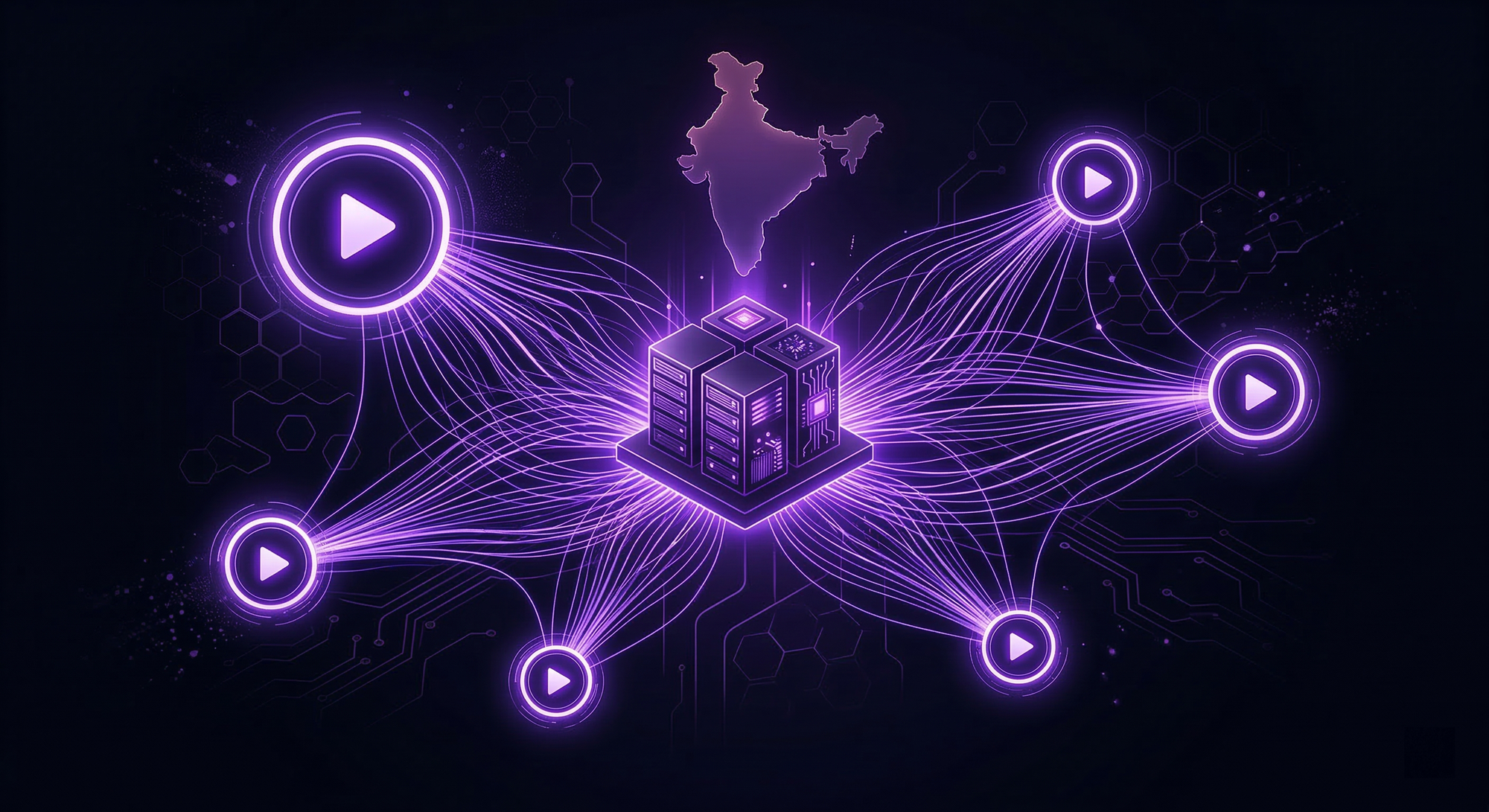
Why Indian Game Servers Lag at Peak Hours: The Network & Routing Problems No Host Talks About
If you’ve ever run or played on an Indian game server, you’ve probably seen the same pattern repeat itself.
The server feels smooth in the afternoon.
Late night is playable.
But between 7 PM and 11 PM, everything starts falling apart.
Players complain about rubber-banding.
Shots don’t register.
Vehicles stutter.
Voice chat delays increase.
Admins swear nothing changed on the server.
Most people blame hardware. Some blame the game. Others blame “too many players online.”
In reality, the biggest reason Indian game servers lag at peak hours has very little to do with RAM, CPU, or player count.
It’s the network.
And more specifically, how traffic is routed inside India.
The Indian Internet Is Not “One Network”
One of the biggest misconceptions is that hosting a server “in India” automatically means low latency and smooth performance for Indian players.
India doesn’t operate like a single, unified network.
Instead, it’s a patchwork of:
- Multiple Tier-1 ISPs (Jio, Airtel, Tata, Vodafone, BSNL)
- Regional routing differences
- Congested exchange points
- Inconsistent peering between providers
Two players sitting in the same city but on different ISPs can have completely different paths to the same server.
During off-peak hours, this rarely matters.
During peak hours, it becomes the main bottleneck.
What Actually Happens at Peak Hours
Between roughly 7 PM and 11 PM IST, several things happen simultaneously across Indian networks:
- Residential traffic spikes
Streaming, gaming, video calls, and downloads all peak together. - ISP congestion increases
Especially on consumer-grade routes that weren’t designed for real-time traffic. - Routing paths change dynamically
ISPs reroute traffic to manage load, often choosing stability over latency. - Packet loss increases before latency does
This is the most damaging part for games.
Games don’t just need low ping.
They need consistent packet delivery.
A server showing 40 ms ping but dropping packets will feel worse than one sitting at a steady 70 ms.
Why “Low Ping” Marketing Is Misleading
Many hosting providers advertise:
- “Low ping servers”
- “10–20 ms latency”
- “Optimized for India”
What they don’t explain is how that ping is achieved and sustained.
A single speed test or ICMP ping result means nothing if:
- The route changes under load
- Traffic passes through congested exchanges
- The provider has weak peering with major ISPs
Games like Minecraft, FiveM, CS2, Rust, or ARK don’t behave like websites.
They send constant, real-time packets, not occasional bursts.
When routing degrades, games suffer first.
Why International Routes Often Perform Worse at Night
Many Indian players still connect to servers in:
- Singapore
- Hong Kong
- Europe
During the day, these routes can look “acceptable.”
At night, they often collapse.
Why?
Because:
- International traffic competes with massive streaming demand
- Submarine cable routes saturate
- ISPs prioritize domestic traffic over outbound routes
This leads to:
- Jitter spikes
- Micro packet loss
- Inconsistent tick updates
To players, it feels like “random lag.”
To the network, it’s predictable congestion.
Why Hardware Upgrades Don’t Fix This
Admins often respond to lag by:
- Adding more RAM
- Upgrading CPU plans
- Switching panels
- Optimizing plugins or scripts
Sometimes this helps.
Often, it doesn’t.
Because you can’t out-CPU bad routing.
If packets arrive late, out of order, or not at all, the server can’t process what it doesn’t receive.
This is why:
- Servers with powerful CPUs still lag at peak hours
- VPS upgrades feel pointless
- Performance improves late at night without any changes
The bottleneck is outside the server.
The Silent Factor Most Hosts Avoid Discussing
There’s a reason most hosts avoid deep discussions about routing.
It’s hard to control.
It’s expensive to fix.
And it exposes differences between providers that specs alone can’t hide.
Proper routing requires:
- Strong peering agreements
- Multiple upstream providers
- Clean paths to major Indian ISPs
- Real-time traffic management, not reactive fixes
This isn’t something you solve with a control panel feature or a marketing badge.
How Network & Routing Problems Actually Show Up Inside Games
When Indian game servers lag at peak hours, the symptoms often look random.
Admins check CPU usage, RAM graphs, disk IO and see nothing obviously wrong.
Players complain, but there’s no single error to point at.
That’s because network and routing issues don’t show up like hardware failures.
They surface indirectly, inside gameplay.
Desync: When the Server and Players Disagree
One of the most common signs of routing trouble is desync.
This happens when:
- The server receives player updates late
- Packets arrive out of order
- Small chunks of data are dropped
From the server’s perspective, everything is running.
From the player’s perspective:
- Other players teleport slightly
- Vehicles snap back
- Actions feel delayed or inconsistent
In RP games like FiveM, this breaks immersion instantly.
In Minecraft, it shows up as delayed block placement or rubber-banding.
In shooters, hit registration feels unreliable.
Desync is rarely a CPU issue.
It’s almost always a packet delivery problem.
Rubber-Banding Isn’t “Lag”, It’s Packet Loss
Most players describe packet loss as “lag”.
In reality:
- Lag is high latency
- Rubber-banding is unstable delivery
A server can sit at 35–50 ms and still rubber-band badly if packets are dropped.
During Indian peak hours:
- Congested routes drop packets to maintain flow
- ISPs deprioritize real-time traffic
- Bursty packet loss becomes common
Games hate this.
Even 1–2% packet loss can make movement feel broken.
Voice Chat Delay: The Canary in the Coal Mine
Voice systems are often the first thing to degrade.
Players notice:
- Delayed push-to-talk
- Overlapping voices
- Audio cutting in and out
Voice traffic is extremely sensitive to jitter and loss.
If voice starts behaving strangely, it’s a strong sign that routing quality has dropped, even if the server appears “online”.
This is especially common on FiveM RP servers during evening hours.
Why Servers Feel Fine, Then Suddenly Fall Apart
A common question admins ask:
“Why does everything work fine until player count increases?”
The answer isn’t just load.
More players means:
- More packets per second
- More simultaneous routes
- Higher sensitivity to micro congestion
Bad routing scales poorly.
What feels “acceptable” at 20 players collapses at 50.
That’s why peak-hour lag often appears suddenly instead of gradually.
The False Sense of Stability from Panels & Metrics
Most hosting dashboards don’t show:
- Packet loss
- Route changes
- ISP-level congestion
- Jitter variance
They show:
- CPU %
- RAM usage
- Disk IO
- Network throughput
These metrics stay green even while gameplay feels broken.
So admins assume:
“The server is fine. Players must be exaggerating.”
They aren’t.
The problem is just invisible at the panel level.
How to Tell If Lag Is Network-Related (Quick Checks)
Before blaming hardware, ask these questions:
- Does lag mostly happen during evening hours?
- Does performance improve late at night without changes?
- Do players on different ISPs report different experiences?
- Does voice degrade before crashes or disconnects?
- Does upgrading RAM not improve the issue?
If the answer to most of these is “yes”, you’re dealing with routing and network quality, not server specs.
Why This Hits Indian Servers Harder Than Most Regions
India’s ISP ecosystem is uniquely challenging:
- High population density
- Heavy consumer traffic peaks
- Uneven peering quality
- Rapid route changes under load
This doesn’t mean good performance is impossible.
It means infrastructure choices matter far more.
What Good Routing Actually Looks Like (And Why Some Indian Servers Stay Smooth)
By now, it should be clear that not all “India-hosted” servers behave the same.
Two servers can sit in the same country, show similar ping numbers, and still deliver completely different gameplay experiences.
The difference is routing quality.
“Hosted in India” vs “Routed for India”
This is one of the most misunderstood concepts in Indian game hosting.
Many providers say:
- “India location”
- “Mumbai datacenter”
- “Low latency for Indian players”
But hosting location alone does not guarantee good performance.
What actually matters is:
- How traffic enters the network
- Which ISPs it peers with
- How routes behave under load
A server physically in India can still:
- Take indirect routes
- Suffer congestion at upstream providers
- Experience packet loss during peak hours
Good performance comes from routing designed for Indian ISPs, not just a pin on a map.
What Stable Indian Routing Looks Like in Practice
Servers that stay smooth during peak hours usually share a few traits:
- Direct peering with major Indian ISPs
- Minimal international hops for domestic traffic
- Consistent paths that don’t change every evening
- Capacity planned for bursts, not just averages
When routing is done right:
- Ping stays consistent, not just low
- Packet loss remains near zero
- Jitter doesn’t spike under load
- Gameplay feels predictable even with many players online
This is why some servers “just work” while others constantly struggle.
Why Cheap Hosting Breaks First at Peak Hours
Low-cost hosting often cuts corners where players can’t see.
Common shortcuts include:
- Shared upstream bandwidth
- Weak peering agreements
- Overloaded transit providers
- No prioritization for real-time traffic
These setups look fine during the day.
They fall apart in the evening.
When traffic spikes, routes congest first.
Games are among the first to suffer.
This is why many admins notice:
“Everything is fine until 7–11 PM.”
That window exposes weak routing instantly.
The Role of DDoS Mitigation in Routing Stability
DDoS protection isn’t just about attacks.
Good mitigation infrastructure often comes with:
- Better traffic filtering
- Smarter routing decisions
- Cleaner packet paths
- More resilient upstream capacity
Networks built to absorb attacks are usually better prepared for traffic spikes too.
That’s why servers with strong, network-level protection tend to feel more stable overall, even when no attack is happening.
Why Some Indian Servers Quietly Perform Better
If you observe long-running Indian servers that:
- Rarely lag at peak hours
- Handle events smoothly
- Stay stable during growth
You’ll often find that:
- They chose infrastructure for routing quality, not price
- They prioritized consistency over flashy specs
- They avoided oversold environments
- They tested performance during peak hours, not off-hours
These servers aren’t always the loudest.
They don’t always advertise aggressively.
But they retain players because gameplay feels reliable.
What Server Owners Should Actually Ask Providers
Instead of asking:
- “How much RAM?”
- “What’s the ping?”
Ask:
- How does routing behave during peak hours?
- Which Indian ISPs do you peer with directly?
- Is traffic prioritized or rate-limited under load?
- Where does mitigation happen in the network?
- Do routes remain stable during congestion?
Providers who can answer these clearly usually understand game hosting.
Those who can’t often rely on generic infrastructure.
The Bigger Picture
Lag during peak hours isn’t a mystery.
It’s the predictable result of weak routing meeting heavy demand.
Indian gaming communities are growing.
Traffic patterns are becoming more intense.
Expectations are rising.
Servers that invest in routing quality and network resilience early are the ones that scale smoothly.
The rest spend months chasing “optimization fixes” for problems that aren’t inside the server at all.
How Indian Server Owners Can Diagnose Routing Issues (And When to Fix Them)
Most admins try to fix lag from inside the server.
They tweak configs, remove plugins, upgrade RAM, or restart often.
When the real issue is routing, none of that helps.
Here’s how to tell when lag is network-related, not server-related.
Signs the Problem Is Routing (Not Your Server)
You’re likely dealing with routing issues if:
- Lag appears mostly during evenings or weekends
- TPS looks fine, but players complain about rubber-banding
- Voice or interactions feel delayed, not frozen
- Ping fluctuates wildly even when CPU usage is low
- Performance drops exactly when player count peaks
These symptoms point outside the server.
Simple Ways to Diagnose Routing Issues
You don’t need enterprise tools to spot bad routing.
Basic checks:
- Ask players from different ISPs if lag feels the same
- Compare performance at off-peak vs peak hours
- Watch for packet loss or jitter, not just ping
- See if issues worsen during events or streams
If problems scale with traffic time, not player actions, routing is usually the cause.
When It’s Time to Change Infrastructure
Routing issues don’t get fixed with patches or plugins.
It’s time to rethink infrastructure when:
- Lag keeps returning despite server optimizations
- Attacks or traffic spikes cause frequent disconnects
- Growth makes instability worse instead of better
- Players stop trusting server uptime
At that point, upgrading network quality matters more than upgrading specs.
Why Network Decisions Shape Long-Term Success
Every successful Indian server eventually learns this lesson:
Good infrastructure is invisible.
Bad infrastructure is unforgettable.
Players forgive bugs.
They don’t forgive lag that ruins gameplay night after night.
Servers that last:
- Choose routing designed for Indian ISPs
- Prioritize consistency over advertised numbers
- Prepare for peak-hour reality, not ideal conditions
That’s what separates short-lived servers from communities that survive years of growth.
Final Takeaway
Indian game servers don’t lag because of bad admins.
They lag because networks weren’t built for real-time demand.
Once you understand routing, peak-hour lag stops being confusing.
It becomes predictable — and fixable.
Infrastructure isn’t just a backend choice.
It’s the foundation your entire community stands on.