VPS for WordPress India 2026 — Best Hosting for WooCommerce, Blogs & High-Traffic Sites
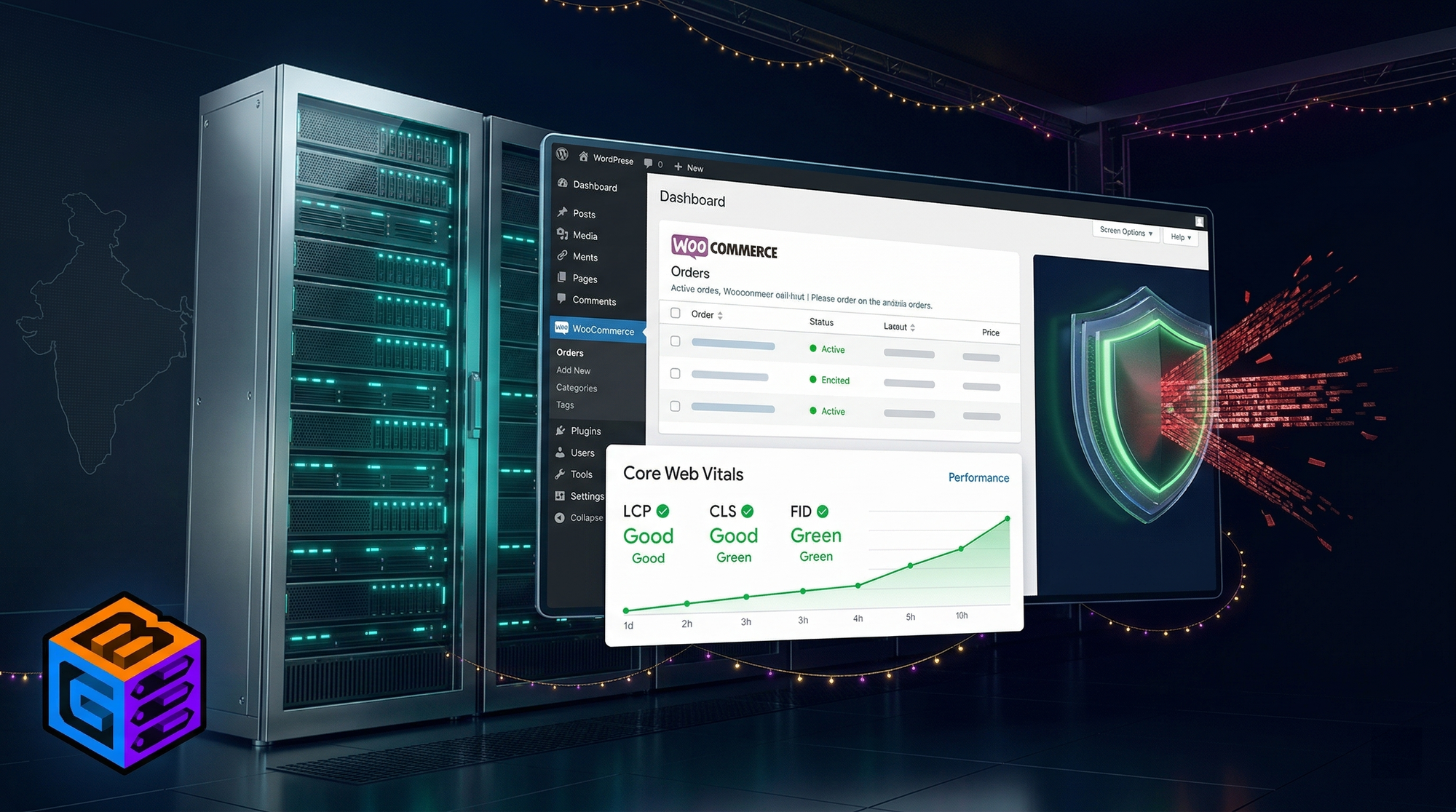
At some point every WordPress site that is growing runs into the same wall.
Pages that used to load in 1.2 seconds start loading in 3.5 seconds. Google Search Console starts showing red Core Web Vitals. The hosting company's response is to suggest upgrading to a more expensive shared plan. You upgrade. Nothing meaningful changes. Traffic keeps growing. The problem gets worse.
This is what shared WordPress hosting looks like at scale. The CPU is shared between hundreds of accounts. The database server is the same for all of them. When your site gets a spike from a viral post, a sale campaign, or a backlink from a large publication, the server is already at capacity serving fifty other sites.
A WordPress VPS gives your site a dedicated allocation of CPU, RAM, and storage — no neighbours competing for the same resources. Combined with the right server location, DDoS protection, and caching configuration, a VPS can turn a 3-second loading site into a sub-800ms experience that Google notices.
This guide covers what WordPress actually needs from a VPS, why server location in India specifically affects your Google rankings, and which of the eleven major providers you should choose in 2026.
When Shared Hosting Works and When It Stops Working
Shared hosting is the correct starting point for a new WordPress site. It is cheap, easy to set up, and adequate for a site getting a few hundred visitors per day.
The thresholds where shared hosting becomes a limitation:
Traffic volume: Above 5,000–10,000 monthly sessions on shared hosting, you will begin experiencing slowdowns during peak hours. Above 20,000 monthly sessions, shared hosting consistently underperforms.
WooCommerce: Any WooCommerce store with active transactions should not be on shared hosting. Cart and checkout pages are dynamic — they cannot be cached and each one requires a live database query. On shared hosting, concurrent checkouts compete for the same database server with no resource isolation. During a sale with 50 concurrent customers, the site crawls or crashes.
Core Web Vitals: If your Google Search Console is showing LCP (Largest Contentful Paint) above 2.5 seconds or TTFB (Time to First Byte) above 600ms, shared hosting is almost certainly the cause. This directly affects your Google rankings.
Custom plugins and integrations: Heavy plugins (WooCommerce, Elementor, WPML, ACF, WP Rocket with full caching) can push PHP memory requirements above the 256MB cap many shared hosts impose. Once you hit the memory limit, you get white screens, crashed checkouts, and failed admin operations.
What WordPress and WooCommerce Actually Need From a VPS
RAM
RAM is the primary bottleneck for WordPress under load. Each PHP process for WordPress requires approximately 32–128 MB of RAM depending on active plugins.
| WordPress Use Case | Recommended RAM |
|---|---|
| Personal blog (under 10K monthly visitors) | 1 GB |
| Business site / portfolio | 2 GB |
| WooCommerce (under 50 concurrent users) | 4 GB |
| WooCommerce (50–200 concurrent users) | 8 GB |
| WooCommerce (200+ concurrent, festival sale) | 16 GB+ |
| Multi-site WordPress network | 8–16 GB |
With Redis object caching enabled, the RAM requirement per request drops significantly — a WooCommerce site that needs 8 GB bare can often run adequately on 4 GB with Redis configured correctly.
CPU
WordPress is not CPU-intensive under normal load. The CPU demand spikes during:
- WooCommerce checkout processing
- Image regeneration (after plugin updates)
- Scheduled WordPress cron jobs
- Heavy search queries through WooSearch or similar plugins
For most WordPress deployments, 2 vCPU handles normal traffic well. For WooCommerce stores expecting festival-period traffic peaks: 4 vCPU minimum.
AMD EPYC 7C13 — the processor on Inservers' VPS infrastructure — handles WordPress's workload pattern well. Its 256MB L3 cache reduces database read latency, which is the dominant bottleneck for WordPress performance rather than raw clock speed.
Storage
WordPress with a standard media library (images, PDFs, video thumbnails) typically occupies 5–20 GB. WooCommerce product images push this higher. Plan for at least 40 GB NVMe SSD storage.
NVMe specifically matters because WordPress makes frequent small reads from the database and filesystem — NVMe at 3–6 GB/s read throughput is meaningfully faster than SATA SSD at 500 MB/s for these access patterns.
PHP Version
PHP 8.2 is the fastest PHP version available for WordPress in 2026. PHP 8.2 is approximately 40% faster than PHP 7.4 on equivalent hardware. If your WordPress host is still running PHP 7.4 (common on old shared plans), migrating to PHP 8.2 on a VPS delivers a significant performance improvement before you change anything else.
Why India-Hosted VPS Matters for WordPress SEO
This is the argument that most WordPress hosting comparisons skip entirely — and it is one of the most consequential decisions for any site targeting Indian traffic.
Core Web Vitals Are Measured From Your Users' Location
Google's Core Web Vitals (LCP, CLS, INP) are measured using real Chrome user data from actual visitors to your site — collected in the field, not in a lab. If your visitors are in India and your server is in Singapore, their TTFB is the Singapore round-trip time. Their LCP includes that server response delay.
Here is what TTFB looks like from Indian cities to different server locations:
| Server Location | TTFB from Delhi (typical) | TTFB from Mumbai | TTFB from Bangalore |
|---|---|---|---|
| Inservers — Noida, India (Inservers) | 8–15ms | 20–35ms | 25–40ms |
| Cloudways — DO Bangalore | 30–50ms | 20–40ms | 10–20ms |
| Cloudways — DO Singapore | 60–90ms | 55–80ms | 55–80ms |
| SiteGround — Europe | 150–220ms | 160–230ms | 160–230ms |
| Kinsta — US/Singapore edge | 70–120ms | 70–110ms | 65–100ms |
| Bluehost India — India DC | 25–50ms | 25–45ms | 30–55ms |
LCP for a WordPress page includes server response time. A 15ms TTFB from Noida vs 80ms TTFB from Singapore is a direct 65ms advantage on every single page load for every Indian visitor — and this shows up in the Core Web Vitals data Google uses to rank your pages.
For a WooCommerce store selling products to Indian customers, India-hosted infrastructure is not optional if Google rankings are a priority.
Indian ISP Peering Matters
Not all India-hosted servers are equal. A server physically located in India but connected through poor-quality upstream transit can deliver worse performance than a well-connected Singapore server.
Inservers' infrastructure at the Inservers network (AS135682) connects directly via Tata Communications (AS4755), Bharti Airtel (AS9498), and Reliance Jio (AS55836) — the three Tier 1 Indian backbone providers. This means a request from a Jio Fiber user in Pune routes directly over Jio's backbone to the Noida server, without crossing international exchanges.
Providers physically in India but using Tier 2/3 transit can have worse latency and higher jitter than advertised.
The WooCommerce DDoS Problem During Indian Festival Sales
This is specific to Indian e-commerce and almost never discussed in WordPress hosting comparisons.
Indian WooCommerce stores experience concentrated attack traffic during high-revenue periods:
- Diwali sale season (October–November)
- Republic Day sales (January 26)
- Independence Day sales (August 15)
- New Year and Christmas (December 25–January 1)
- Product launches coinciding with competitor attacks
A WooCommerce store doing ₹50,000–₹5,00,000 per day during a Diwali sale is a target. Attacks can come from upset competitors, disgruntled customers, or simply broad botnets targeting Indian e-commerce IPs identified through Google Shopping listings.
When your WordPress VPS is attacked:
- Blackholing providers (Hostinger, DigitalOcean, Vultr, Cloudways): the attacked IP is null-routed. Your store becomes inaccessible to all traffic — including customers trying to checkout. Duration: 30 minutes to several hours depending on attack profile.
- Inservers (GBSHIELD): attack traffic is scrubbed at ASN level (AS135682) via StormWall upstream. Your store IP remains accessible. Customer checkouts continue.
A mid-size WooCommerce store with ₹2,00,000/day Diwali revenue losing 4 hours to a blackhole event loses approximately ₹33,000 in direct sales plus the conversion rate damage from customers who tried and failed to load the site.
GBSHIELD's protection is not a gaming-industry feature transferred to VPS — it was built for always-on business workloads where downtime has direct revenue impact.
Best VPS for WordPress India 2026 — Full Comparison
| Provider | Server Location | DDoS | RAM (Entry) | Bandwidth | INR Billing | Starting Price |
|---|---|---|---|---|---|---|
| Inservers (GBNodes) | Noida, India | ✅ GBSHIELD — stays ONLINE | 4 GB | Unmetered | ✅ | ₹880/month |
| Cloudways | Singapore / Bangalore | ❌ Blackholes | 2 GB (on DO) | 2 TB (DO) | ❌ USD | ~$22/month (~₹1,830) |
| Hostinger VPS | India DC | ❌ Blackholes, 400Mbps limit | 4 GB | 100 GB–unlimited | ✅ | ~₹649/month |
| Bluehost India | India DC | ❌ None | Shared (not VPS) | Unlimited (shared) | ✅ | ~₹249/month |
| SiteGround | Europe / US | ❌ Basic | 10 GB space (shared) | Unlimited (shared) | ❌ USD | ~$6/month intro |
| Contabo | Navi Mumbai | ❌ None | 4 GB | 32 TB fair-use | ❌ EUR | ~€5.99/month (~₹545) |
| DigitalOcean | Bangalore | ❌ Blackholes | 1 GB Droplet | 1 TB | ❌ USD | $6/month (~₹510) |
| Kinsta | GCP edge | ❌ Basic | 25K visits/month | CDN included | ❌ USD | $35/month (~₹2,900) |
| AccuWebHosting | Mumbai (Tier III) | ⚠️ Basic free, 20 Gbps add-on (paid) | 2 GB | Limited | ❌ USD | From ~$7/month |
| BigRock | India DC | ⚠️ Edge-level claimed, no capacity | Shared-level | Limited | ✅ | ~₹549/month |
| GoDaddy India | India DC | ⚠️ Claimed mitigation, unverified | 2 GB | Limited | ✅ | ~₹699/month |
Provider-by-Provider Analysis
1. Inservers (GBNodes) — India-Hosted, GBSHIELD, AMD EPYC
Inservers Host Pvt. Ltd. operates its VPS infrastructure from the Inservers network (AS135682) in Noida, New Delhi. For a WordPress site targeting Indian visitors, no other provider in this list combines India-located hardware, INR billing, unmetered bandwidth, and genuine DDoS mitigation at under ₹1,000/month.
For WordPress specifically:
- TTFB: 8–15ms from Delhi NCR, 20–35ms from Mumbai. This is the fastest server response time available for Indian WordPress deployments. Direct impact on LCP scores in Google Search Console.
- AMD EPYC 7C13: 256MB L3 cache handles WordPress's database-heavy access pattern efficiently. PHP-FPM processes load pages from the MySQL query cache faster than on processors with smaller L3.
- 4 GB RAM on entry plan: The IN-BASIC plan (₹880/month) provides 4 GB RAM — enough for a WooCommerce store with Redis object caching and up to 30–50 concurrent users without resource contention.
- Unmetered bandwidth: Festival sale traffic spikes — 10x normal traffic on Diwali — do not trigger bandwidth overage charges.
- GBSHIELD: DDoS protection at ASN level. Your WooCommerce store stays online during attack events, including during peak sale hours when attack probability is highest.
- Genuine Linux: Ubuntu, Debian, CentOS available. Full root access. Install LAMP or LEMP stack, configure Nginx + PHP-FPM + Redis + MySQL — complete control.
| Spec | Detail |
|---|---|
| CPU | AMD EPYC 7C13 @ 3.7GHz, 256MB L3 Cache |
| Entry RAM | 4 GB DDR4 ECC |
| Storage | 40 GB NVMe SSD (up to 6 GB/s read) |
| Bandwidth | Unmetered |
| DDoS | GBSHIELD — server stays ONLINE |
| India DC | Noida, New Delhi (AS135682) |
| OS | Linux (Ubuntu, Debian, CentOS) / Windows optional |
| Billing | INR — UPI, cards, NetBanking |
| Price | ₹880/month |
Verdict: Best choice for Indian WordPress and WooCommerce sites — fastest TTFB to Indian visitors, DDoS protection during festival sales, unmetered bandwidth, INR billing.
2. Cloudways — Managed Convenience, But Not India-Optimised
Cloudways is a managed cloud platform that resells infrastructure from DigitalOcean, Vultr, AWS, GCP, and Azure. You pay Cloudways a markup on top of the underlying server provider's cost, and in return you get an automated setup for WordPress with PHP, MySQL, Redis, and Nginx pre-configured.
What Cloudways is good at: Eliminating server management complexity. If you have zero Linux experience and need WordPress running without touching a command line, Cloudways's one-click WordPress setup is genuinely convenient.
The India-specific problems:
Cloudways on DigitalOcean uses the Bangalore datacenter for India. On Vultr, it uses the Mumbai datacenter. Both are blackholing providers — when attacked, the server IP is null-routed. Your WordPress site goes offline. Cloudways adds no DDoS mitigation layer of their own.
The pricing is where Cloudways becomes difficult to justify against Inservers for Indian buyers:
| Plan | Infrastructure | Monthly Cost | India DC | DDoS |
|---|---|---|---|---|
| DO 2 GB | DigitalOcean | $22/month (~₹1,830) | Bangalore | Blackholes |
| DO 4 GB | DigitalOcean | $42/month (~₹3,480) | Bangalore | Blackholes |
| Vultr 4 GB | Vultr | $42/month (~₹3,480) | Mumbai | Blackholes |
Compare: Inservers IN-PRO gives 4 vCPU, 8 GB RAM for ₹1,800/month — half the cost, better specs, GBSHIELD, and closer India DC location.
Cloudways also bills in USD only. For Indian businesses, every monthly invoice carries forex conversion markup.
Verdict: Excellent developer experience, genuinely easy managed setup. But 2x the cost of equivalent Inservers specs, no DDoS protection, USD billing, and no latency advantage for Indian visitors over a direct India-hosted VPS.
3. Hostinger VPS — Indian Brand, Real Limitations
Hostinger has strong brand recognition in India and markets their VPS aggressively at competitive introductory prices. Two structural limitations affect WordPress deployments specifically:
400 Mbps hard port limit: Each Hostinger VPS is hard-capped at 400 Mbps throughput. For a WooCommerce store during a Diwali flash sale with 200 concurrent users downloading product images, this cap becomes a real ceiling. Normal WordPress operation rarely hits it, but high-traffic e-commerce events can.
Blackholing DDoS: When attacked, Hostinger null-routes the attacked IP. WordPress site goes offline. This is particularly damaging during sale events when attack probability is highest and downtime cost is greatest.
Introductory pricing vs renewal: Hostinger's entry VPS at ₹649/month typically renews at ₹1,500–₹2,000/month. The headline price is a 12-month or 24-month commitment price that increases significantly at renewal.
For a basic WordPress blog with no WooCommerce and no attack risk exposure, Hostinger works adequately. For any WooCommerce store or high-traffic site: the port limit and blackholing are structural problems at exactly the moments that matter most.
Verdict: Works for basic WordPress blogs. Port limit and blackholing make it unsuitable for WooCommerce stores during high-traffic sale events.
4. Bluehost India — Shared Hosting Sold as WordPress Hosting
Bluehost India is the most-searched WordPress hosting brand in India by unaided recall. It is almost exclusively shared hosting. Their "WordPress plans" are shared hosting accounts with cPanel + WordPress pre-installed.
What Bluehost India is not: a VPS hosting provider in any meaningful sense. Their entry plans share server resources with hundreds of other accounts. The WordPress-branded marketing creates the impression of optimized WordPress infrastructure; the underlying product is standard cPanel shared hosting.
For any WordPress site that has outgrown shared hosting — which is the use case this entire guide addresses — Bluehost India is not the answer. It is the product you are migrating away from.
Verdict: Shared hosting, not VPS. Included in this comparison because of brand recognition. Not applicable for WordPress VPS deployments.
5. SiteGround — Excellent WordPress Hosting, No India DC
SiteGround is genuinely one of the best managed WordPress hosts globally. Their proprietary SuperCacher system, PHP 8.2 support, ultrafast shared infrastructure, and WordPress-specific support team are all best-in-class.
The India problem: SiteGround has no India datacenter. Their closest options are Singapore and a Europe DC. For a WordPress site with 80%+ Indian traffic, SiteGround's Singapore server delivers 60–90ms TTFB to North Indian visitors — compared to 8–15ms from an Inservers Noida server.
For websites targeting global or European audiences, SiteGround is an excellent choice. For websites primarily serving Indian visitors with WooCommerce or content sites that depend on Indian search rankings, the latency gap directly affects Core Web Vitals and Google ranking.
SiteGround's pricing also renews significantly higher than introductory rates — the GrowBig plan at $6/month intro renews at approximately $24/month = ~₹2,000/month.
Verdict: Best-in-class managed WordPress experience. No India DC is a disqualifying factor for sites targeting Indian Google search rankings.
6. Contabo — Cheapest with India DC, Zero DDoS
Contabo's Navi Mumbai datacenter (launched mid-2024) gives them a genuine India presence at the lowest price point in this comparison. Their 4 GB RAM VPS at approximately ₹545/month undercuts every other provider.
The complete absence of DDoS protection is the single restraining factor. For a WordPress blog without WooCommerce and without any significant attack surface, Contabo Navi Mumbai is adequate. For WooCommerce, publicly listed stores, or any site that may attract competitive attacks: zero DDoS infrastructure means the server absorbs attack traffic directly until it becomes unreachable.
Contabo also bills in EUR with PayPal/international card — no UPI, no NetBanking. Indian customers pay forex conversion on every invoice.
Verdict: Cheapest India DC option. Zero DDoS protection is the absolute constraint for WooCommerce or any high-value commercial site. Good for development environments and private workloads.
7. DigitalOcean — Developer Favourite, Blackholing
DigitalOcean is the most developer-friendly provider in this list. Their Bangalore datacenter, clean API, App Platform, managed databases, and extensive documentation make them a strong choice for developers comfortable with Linux server management.
DDoS handling is blackholing — attacked Droplet IPs are null-routed and the server becomes inaccessible. For a WordPress developer building and testing locally, this is rarely a concern. For a WooCommerce store taking live orders, blackholing during an attack is a commercial problem.
DigitalOcean does not support Windows Server on Droplets. This is relevant only if your WordPress hosting has any Windows dependency (rare but exists for Windows-specific plugins or software integrated with the site).
Pricing in USD with no INR billing option.
Verdict: Excellent for developers. Blackholing DDoS and USD billing reduce its appeal for Indian WooCommerce deployments. The managed add-ons (databases, object storage) are genuinely useful for complex WordPress architectures.
8. Kinsta — Premium Managed WordPress, Premium Price
Kinsta is widely regarded as the highest-performance managed WordPress host available. Built on Google Cloud Platform edge infrastructure with a proprietary Nginx-based stack, daily automated backups, built-in CDN, and a staging environment on every plan.
The entry price is $35/month (~₹2,900/month) for 25,000 monthly visits. At $35/month you get approximately 33,000 monthly visits before paying overage. Most Indian WooCommerce stores would exceed this quickly.
Kinsta has no India datacenter. Traffic is served through Google Cloud's CDN edge, which helps with static assets but does not eliminate the latency for uncached dynamic WooCommerce pages (cart, checkout, my-account).
Verdict: Best managed WordPress experience on the market. Not India-hosted. Priced above the range where most Indian WordPress site owners get adequate value versus self-managed Inservers VPS.
Real Monthly Cost Comparison
What you actually pay after the introductory period, for a WooCommerce store needing 4 GB RAM:
| Provider | RAM | India DC | Real Monthly Cost | DDoS | Bandwidth |
|---|---|---|---|---|---|
| Inservers IN-PRO | 8 GB | ✅ Noida | ₹1,800/month | ✅ GBSHIELD | Unmetered |
| Cloudways (DO 4 GB) | 4 GB | Bangalore | ~₹3,480/month | ❌ Blackholes | 4 TB |
| Hostinger VPS (renewal) | 8 GB | India | ~₹1,800–₹2,400/month | ❌ Blackholes | Unlimited (400Mbps cap) |
| Contabo (Navi Mumbai) | 4 GB | Navi Mumbai | ~₹545/month | ❌ None | 32 TB fair-use |
| DigitalOcean (4 GB Droplet) | 4 GB | Bangalore | ~₹1,660/month | ❌ Blackholes | 4 TB |
| Kinsta (Pro plan) | Managed | CDN Edge | ~₹8,300/month | Basic | CDN included |
The Inservers IN-PRO plan at ₹1,800/month gives you 8 GB RAM (double Cloudways' DO 4 GB plan), India-hosted in Noida for better Core Web Vitals, GBSHIELD DDoS that keeps WooCommerce online during attacks, unmetered bandwidth for festival sales, and AMD EPYC hardware — at roughly half Cloudways' equivalent cost.
9. AccuWebHosting — India DC, but DDoS Protection Is a Paid Add-On
AccuWebHosting is a US-based hosting company with a Mumbai datacenter certified to Tier III standards and carrying ISO 27001, SOC 1, SOC 2, and PCI DSS compliance. Their India infrastructure uses redundant power, NVMe storage, and connects through multiple Tier 1 carriers — a genuinely solid datacenter foundation for WordPress deployments.
The DDoS situation requires careful reading. AccuWebHosting includes basic built-in anti-DDoS measures for their India servers — however, for meaningful volumetric attack protection they offer a paid add-on DDoS service rated up to 20 Gbps. The default free protection is basic network-level filtering that handles small attacks; the advanced layer is not included and must be purchased separately.
For a WordPress blog or small business site without significant attack exposure, AccuWebHosting's Mumbai DC and ISO 27001 credentials make them a reasonable choice. For a WooCommerce store that could face competitive attacks during Diwali sales, the base DDoS tier is insufficient — the paid add-on is necessary, adding to the total monthly cost.
AccuWebHosting bills in USD only. Indian customers pay forex conversion charges on every invoice.
| Spec | Detail |
|---|---|
| India DC | Mumbai — Tier III, ISO 27001, SOC 1/2, PCI DSS |
| DDoS (free tier) | Basic network-level filtering |
| DDoS (advanced) | 20 Gbps — paid add-on, not included |
| Billing | USD only |
| Starting Price | ~$7/month |
Verdict: Credible India datacenter infrastructure with good compliance certifications. DDoS protection beyond basic level requires paid add-on. USD billing adds cost for Indian buyers. Adequate for low-risk WordPress sites; not optimal for WooCommerce stores needing guaranteed attack survivability without extra cost.
10. BigRock — Indian Brand, Shared Hosting Primarily
BigRock is one of India's most recognised hosting brand names, operating under Newfold Digital (which also owns Bluehost, ResellerClub, and HostGator India). The brand is widely known for domain registration and shared hosting — their VPS offering is a secondary product line.
BigRock claims edge-level and rack-level DDoS mitigators in their infrastructure documentation. However, they do not publish scrubbing capacity in Gbps, name a mitigation upstream provider, or distinguish between basic rate limiting and volumetric DDoS scrubbing. The same pattern of undisclosed methodology that characterises several other providers in this comparison — marketing language without verifiable infrastructure specifics.
For WordPress use cases, BigRock's primary platform is cPanel-based shared hosting. Their VPS plans exist but are not their core product, and technical depth in their WordPress VPS support documentation reflects this. INR billing is available, which is a genuine advantage for Indian customers.
| Spec | Detail |
|---|---|
| India DC | India (shared infrastructure, Newfold Digital) |
| DDoS | Edge + rack level claimed — no capacity or upstream disclosed |
| Primary Product | Shared hosting and domain registration |
| Billing | INR available |
| Starting Price | ~₹549/month |
Verdict: Strong Indian brand recognition, INR billing. VPS is a secondary offering. DDoS protection claims lack verifiable technical specifics. More suitable for shared hosting customers upgrading to entry VPS than for serious WooCommerce deployments.
11. GoDaddy India — Large Brand, High Renewal Prices
GoDaddy operates one of the largest global hosting infrastructures and has significant brand presence in India through local marketing and INR billing. Their VPS lineup includes both Linux and Windows options with cPanel or Plesk, and they offer managed VPS plans with automated patching and security monitoring.
GoDaddy claims DDoS protection and 24/7 network monitoring as part of their VPS infrastructure. The specific methodology — whether this constitutes traffic scrubbing or blackholing — is not publicly detailed in their technical documentation. No named scrubbing upstream or capacity figure is published.
The more documented issue with GoDaddy India for WordPress is pricing. Introductory prices are competitive, but GoDaddy's renewal rates are notoriously higher — often 2–3x the initial price after the first term. A plan that appears at ₹699/month for the first year can renew at ₹1,800–₹2,500/month. This pricing structure makes the actual long-term cost of GoDaddy VPS significantly higher than headline figures suggest.
For WordPress, GoDaddy's managed VPS includes useful conveniences (automated backups, security patching), but the renewal pricing and undisclosed DDoS methodology reduce its competitiveness against Inservers for WooCommerce deployments.
| Spec | Detail |
|---|---|
| India DC | India (global infrastructure) |
| DDoS | Claimed — methodology and capacity not disclosed |
| Renewal Pricing | Significantly higher than intro price |
| Billing | INR available |
| Starting Price | ~₹699/month (introductory, renews much higher) |
Verdict: Large, trusted brand with INR billing and managed VPS options. DDoS methodology undisclosed. High renewal pricing makes long-term cost significantly above intro rates. Check actual renewal price before committing to any term.
How to Set Up WordPress on Inservers VPS
Once your Inservers VPS is provisioned (15-minute deployment), the fastest path to a production WordPress installation:
Step 1: Connect via SSH
ssh root@YOUR_VPS_IP
Step 2: Install LEMP Stack (Nginx + MySQL + PHP 8.2)
apt update && apt upgrade -y
apt install nginx mysql-server php8.2-fpm php8.2-mysql php8.2-xml php8.2-curl php8.2-gd php8.2-zip php8.2-mbstring php8.2-redis -y
Step 3: Secure MySQL
mysql_secure_installation
Set a strong root password, remove anonymous users, disable remote root login.
Step 4: Create WordPress Database
CREATE DATABASE wordpress_db;
CREATE USER 'wp_user'@'localhost' IDENTIFIED BY 'strong_password';
GRANT ALL PRIVILEGES ON wordpress_db.* TO 'wp_user'@'localhost';
FLUSH PRIVILEGES;
Step 5: Download and Configure WordPress
cd /var/www/html
wget https://wordpress.org/latest.tar.gz
tar -xzf latest.tar.gz
mv wordpress/* .
cp wp-config-sample.php wp-config.php
Edit wp-config.php with your database name, user, and password.
Step 6: Configure Nginx for WordPress Create an Nginx server block with FastCGI PHP-FPM configuration and WordPress permalink support.
Step 7: Install SSL (Let's Encrypt)
apt install certbot python3-certbot-nginx -y
certbot --nginx -d yourdomain.com -d www.yourdomain.com
Step 8: Install Redis for Object Caching
apt install redis-server php8.2-redis -y
Install the Redis Object Cache plugin in WordPress. Configure wp-config.php to use Redis as the object cache backend.
This setup delivers a WordPress installation with PHP 8.2, Nginx, MySQL, and Redis — a configuration that consistently delivers sub-1-second page loads for content pages and fast WooCommerce checkout on adequate RAM.
WooCommerce-Specific Optimisation on VPS
Redis Object Caching: WooCommerce makes heavy use of WordPress transients and object cache. Redis stores frequently accessed database results in memory, reducing MySQL queries by 70–80% under normal load.
Nginx FastCGI Cache for Static Pages: Product listing pages, blog posts, and category pages can be cached at the Nginx level — serving them without touching PHP or MySQL at all. Serve a WooCommerce category page to 1,000 concurrent visitors from Nginx cache with minimal CPU load. Cart and checkout pages must be excluded from cache (dynamic, user-specific).
PHP-FPM Process Pool Sizing: Configure PHP-FPM's pm.max_children based on available RAM. With 8 GB RAM, a conservative setting of 30–40 PHP workers handles a high-traffic WooCommerce sale event without spawning processes that exhaust memory.
Cloudflare (Free Tier): Add Cloudflare in front of your Inservers VPS for CDN caching of static assets (images, CSS, JS) at Cloudflare's edge locations globally. Cloudflare also adds HTTP-layer DDoS mitigation on top of GBSHIELD's network-layer protection — two independent protection layers.
WooCommerce Cart Fragments: Disable or async-load WooCommerce's cart fragments AJAX request. This is the most common cause of poor TTI (Time to Interactive) on WooCommerce sites — it makes an uncacheable AJAX request on every page load.
Image Optimisation: Serve next-gen formats (WebP) through a plugin like Imagify or ShortPixel. Large unoptimised product images are consistently the single biggest contributor to high LCP scores on WooCommerce sites.
Frequently Asked Questions
How much RAM do I need for a WooCommerce store with Elementor?
Elementor is a heavy page builder that increases PHP memory requirements. For a WooCommerce store built with Elementor expecting up to 50 concurrent users, 4 GB RAM with Redis object caching is the practical minimum. The Inservers IN-BASIC plan (₹880/month, 4 GB RAM) covers this with room. For 50–150 concurrent users during sale events, the IN-PRO plan (₹1,800/month, 8 GB RAM) is more appropriate.
Is Cloudways better than a self-managed VPS for WordPress?
Cloudways removes server management entirely — you do not need to configure Nginx, PHP-FPM, MySQL, or Redis. This is genuinely valuable for non-technical users. However, Cloudways adds a recurring markup on top of the underlying server cost (30–50%), routes Indian traffic through Singapore on popular plans, uses providers that blackhole during DDoS attacks, and bills in USD. For Indian WooCommerce stores, the direct Inservers setup (one-time 30-minute LEMP stack configuration) delivers better performance at lower cost. Use Cloudways if your team has zero Linux experience and the performance/cost tradeoff is acceptable.
Does a VPS improve WordPress Google rankings?
VPS hosting on an India-based server directly improves Core Web Vitals — specifically TTFB and LCP — for visitors in India. Google uses Core Web Vitals as a ranking factor since the Page Experience update in May 2021. Lower TTFB from a Noida datacenter (8–15ms to Delhi, 20–35ms to Mumbai) versus Singapore (60–90ms) produces measurably better Core Web Vitals scores in Google Search Console, which over time correlates with improved position for competitive keywords.
Can I run multiple WordPress sites on one VPS?
Yes. On the Inservers IN-PRO plan (4 vCPU, 8 GB RAM), you can comfortably run 5–15 WordPress sites depending on their individual traffic levels. Use separate Nginx server blocks for each domain, separate MySQL databases, and separate PHP-FPM pools. Shared VPS resources are isolated at the OS level — one site's traffic spike does not directly impact another's performance the way shared hosting neighbouring accounts do.
What is the best caching setup for WooCommerce on VPS?
Layer 1: Redis Object Cache (reduces MySQL queries for logged-in users and persistent data). Layer 2: Nginx FastCGI cache for non-logged-in visitors on cacheable pages (homepage, category, product, blog). Layer 3: Cloudflare CDN for static assets (images, CSS, JS) served from edge. Layer 4: Browser caching headers configured in Nginx for locally cacheable resources. This four-layer setup delivers sub-500ms page loads for cached content on WooCommerce.
How do I migrate my existing WordPress site to Inservers VPS?
Use the Duplicator or All-in-One WP Migration plugin to export your current WordPress installation (files + database). Upload to the Inservers VPS, configure Nginx to serve the new domain, import the database, update wp-config.php with the new database credentials. For large WooCommerce databases, rsync or WP-CLI database import is faster than plugin-based migration.
Do I need a managed WordPress service or can I self-manage?
If you are comfortable running apt install commands and editing configuration files, self-managed VPS with a LEMP stack is the correct choice — lower cost, more control, better performance for Indian visitors. If you have zero Linux experience and need WordPress running immediately without technical setup: Cloudways or SiteGround removes that barrier, at higher cost and with the performance and DDoS tradeoffs described above. For most Indian WordPress site owners who can follow a step-by-step guide, self-managed Inservers VPS is the better long-term choice.
Why should I choose Inservers over Contabo for WooCommerce?
Contabo's Navi Mumbai pricing (₹545/month) is lower than Inservers, but Contabo has zero DDoS protection on any plan. For a WooCommerce store during a Diwali sale, a targeted attack on Contabo takes the store completely offline with no mitigation — for as long as the attack runs. Inservers' GBSHIELD keeps the store accessible during attacks. The cost difference between Contabo and Inservers is ₹335/month for unmanaged VPS, or ₹1,255/month for the IN-PRO (8 GB). For a WooCommerce store doing ₹50,000+ on a Diwali sale day, the DDoS protection is worth multiples of that monthly difference in a single prevented outage.
Inservers WordPress VPS — Plans and Pricing
All plans include: AMD EPYC 7C13 @ 3.7GHz, enterprise NVMe SSD (up to 6 GB/s), unmetered bandwidth, GBSHIELD DDoS protection, ISO 27001 certified datacenter (Inservers, Noida), INR billing, 15-minute deployment.
| Plan | vCPU | RAM | NVMe | Best For | Price |
|---|---|---|---|---|---|
| IN-BASIC | 2 vCPU | 4 GB DDR4 | 40 GB | Blog / business site, WooCommerce up to 50 concurrent users | ₹880/month |
| IN-PRO | 4 vCPU | 8 GB DDR4 | 80 GB | WooCommerce 50–150 concurrent, multi-site | ₹1,800/month |
| IN-LITE | 6 vCPU | 16 GB DDR4 | 160 GB | High-traffic WooCommerce, agency with 10+ client sites | ₹3,600/month |
| IN-PLUS | 12 vCPU | 32 GB DDR4 | 320 GB | Large WooCommerce with festival traffic peaks, 20+ sites | ₹7,040/month |
20% off first month with code GB2026.
Get started:
- Inservers WordPress VPS India — AMD EPYC, GBSHIELD, From ₹880/month →
- GBNodes VPS India — From ₹880/month →
Conclusion
For a WordPress site targeting Indian visitors in 2026, the hosting decision comes down to two questions: where is your server, and what happens when someone attacks it?
Cloudways is convenient but expensive, Singapore-hosted, and blackholes under attack. Kinsta is excellent but costs 3–4x more than necessary for Indian sites. Hostinger has port limits at exactly the wrong moment. Contabo is cheap but completely unprotected.
Inservers — running on Inservers in Noida with direct Tier 1 ISP connections to Tata, Airtel, and Jio — gives Indian WordPress sites the fastest possible TTFB to Indian visitors, keeps WooCommerce stores online during DDoS events through GBSHIELD, provides unmetered bandwidth for festival traffic spikes, and does all of this at ₹880/month — less than what Cloudways charges for a server with half the RAM located in Singapore.
For any Indian WordPress site where Core Web Vitals, WooCommerce uptime during sales, and cost all matter: Inservers is the answer.
GBNodes is operated by Inservers Host Pvt. Ltd. Inservers Host Pvt. Ltd. operates the network (AS135682), a 20-year-old, ISO 27001 certified datacenter company. Not affiliated with Cloudways, Hostinger, Bluehost, SiteGround, Contabo, DigitalOcean, or Kinsta.