Tally on Cloud India 2026 — Complete Guide for CA Firms, Accountants & SMBs
If you still access Tally by physically sitting at one office computer, you are running your accounting practice the hard way.
CA firms with 3 to 15 staff members are losing billable hours every time someone needs to access client data from a branch office, from home during filing season, or while visiting a client site. Article assistants wait for the senior CA to leave the office before they can update entries. Partners check balance sheets at 10 PM only if they remembered to take the laptop home.
Tally on Cloud solves this completely — and in 2026, with GST compliance deadlines monthly and TDS filings quarterly, it is not an upgrade. It is a basic operational requirement.
This guide covers everything: what Tally on Cloud actually is, what it costs including Tally licensing, how to choose a VPS, and why the infrastructure you choose makes a larger difference to your daily experience than most providers will tell you.
What Is Tally on Cloud — And What It Is Not
Tally on Cloud is not a SaaS product from Tally Solutions. Tally Solutions does not offer a hosted cloud version of TallyPrime where you pay per month and log in through a browser.
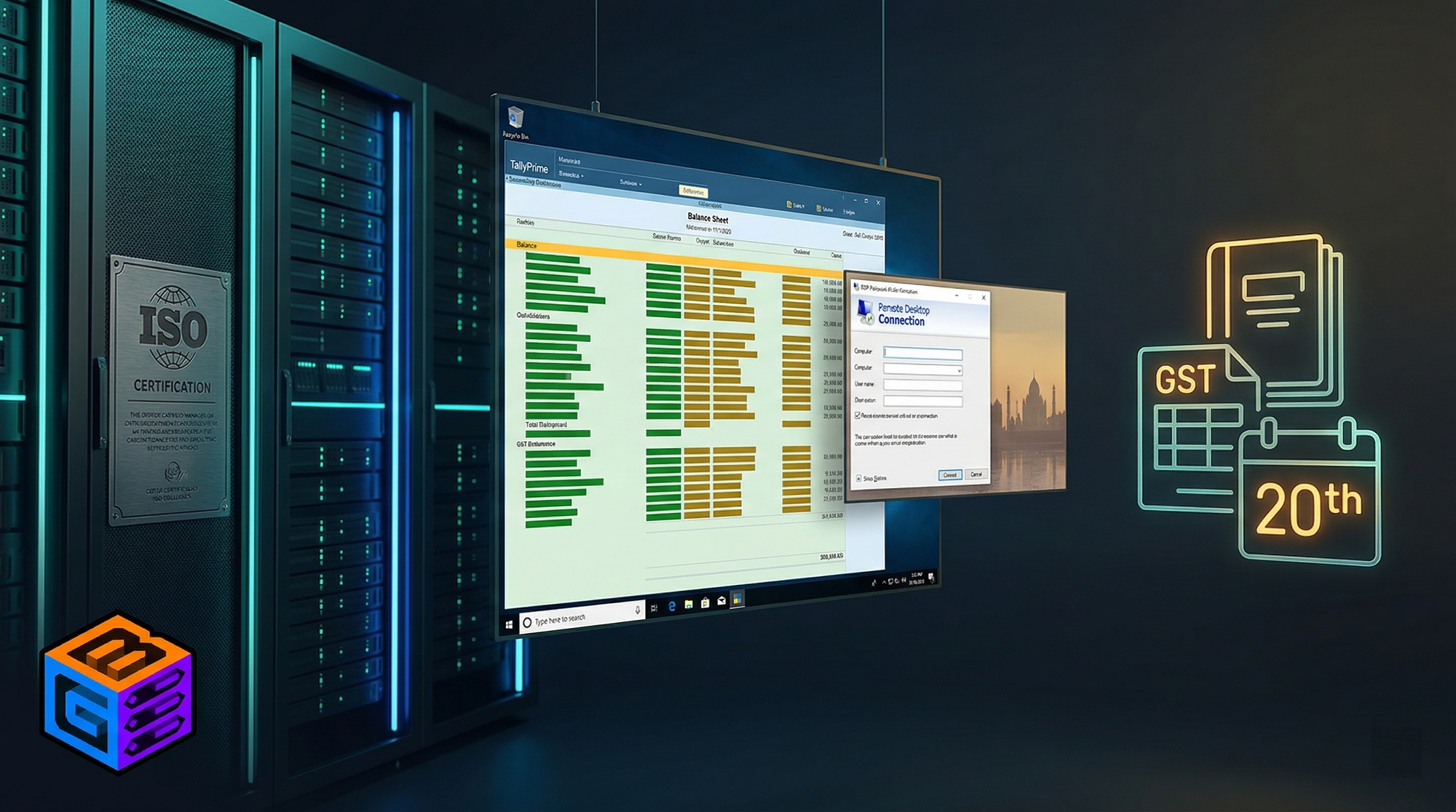
What "Tally on Cloud" actually means: TallyPrime or Tally.ERP 9 is installed on a Windows Server VPS hosted in a datacenter. You connect to that server via Remote Desktop Protocol (RDP) from any device and access Tally exactly as if you were sitting in front of that computer.
The server runs 24 hours a day in the datacenter. Multiple users can connect and work on the same company data simultaneously. You can connect from Windows, Mac, Android, iOS, or a thin client using a Remote Desktop app.
This distinction matters because:
- You still need to own a Tally license (Silver or Gold)
- You pay for the Windows VPS separately
- These are two different costs — understanding both is essential before you buy anything
Who Needs Tally on Cloud
CA Firms and Audit Practices
A CA firm with 5 to 20 staff is the single most common Tally on Cloud use case in India. The operational reality:
- Senior CAs travel to client sites and need to pull balance sheets or check entries in real time
- Article clerks and assistants work overtime during filing season and need to work from home
- Branch offices in different cities need access to the same client company data
- Multiple staff members need simultaneous access — one updating sales vouchers while another posts purchase bills and a third runs GST reports
On a local server, simultaneous access only works within the same office LAN. The moment someone steps outside, they are locked out unless a complex VPN is configured. Tally on Cloud eliminates all of this.
SMBs with Multiple Locations
A manufacturing business with a factory in Bhiwandi and a head office in Nariman Point needs both locations accessing the same Tally company file. A retail chain with 3 store locations needs a single books view. A trading company whose owner works from Mumbai but whose accounts team is in Surat needs real-time data visibility.
All of these cases require either a very expensive dedicated server setup at one location with VPN to the others, or a Tally on Cloud VPS — which is simpler, cheaper, and more reliable.
Accountants and Tax Practitioners
Tax practitioners managing 30 to 100 client companies face a different problem: they need multiple Tally company files accessible from wherever they are during ITR season (July–August), GST filing season (monthly), and advance tax quarters. A Windows VPS lets them run all client companies on one server, connect from anywhere, and never worry about a local PC dying with all client data on it.
SMB Business Owners Who Want Real-Time Financial Visibility
A business owner whose accounts team runs Tally in the office used to be limited to financial reports shared by email — daily or weekly. With Tally on Cloud, the owner connects from their phone or tablet via Microsoft Remote Desktop and sees live data anytime.
The Two-Cost Reality: Tally License + Windows VPS
Most content about Tally on Cloud conflates these two costs. They are separate and both are required.
Cost 1: Tally License
TallyPrime licenses are a one-time purchase from an authorized Tally partner or Tally Solutions directly. Prices are exclusive of 18% GST:
| License | Users | Price (excl. GST) | Best For |
|---|---|---|---|
| TallyPrime Silver | Single user | ₹22,500 | Solo practitioner, single-user cloud access |
| TallyPrime Gold | Multi-user (LAN) | ₹67,500 | Team access, recommended for cloud deployments |
| TallyPrime Server | Enterprise, high-volume | ₹2,70,000 | 50+ concurrent users, high transaction volumes |
Tally Virtual User (TVU) Packs — critical for cloud deployments:
When you access TallyPrime via RDP, Citrix, or any virtualized environment (which includes all cloud/VPS setups), Tally classifies this as "Virtual Usage" and requires TVU packs.
- TallyPrime Silver includes 1 free TVU pack (1 concurrent virtual user)
- TallyPrime Gold includes 10 free TVU packs (10 concurrent virtual users)
- Additional TVU packs beyond the free entitlement: ₹225 per user/month (billed annually, exclusive of GST)
For most CA firms and SMBs with up to 10 concurrent users, the Gold license's 10 free TVU packs are sufficient. You pay ₹67,500 once for the Gold license and have 10 simultaneous remote users covered.
Annual TSS (Tally Software Subscription): TSS is an optional annual renewal that covers product updates, connected services, and customer support from Tally:
- Silver TSS: approximately ₹4,500/year
- Gold TSS: approximately ₹13,500/year
TSS is not mandatory for the software to work, but without it you will not receive new TallyPrime updates (including future GST compliance updates). For any practice with active compliance work, TSS renewal is a practical necessity.
Cost 2: Windows VPS
This is what Inservers provides — the Windows Server infrastructure your Tally runs on. The VPS cost has nothing to do with Tally Solutions and is a separate monthly subscription.
The VPS provider needs to supply:
- Genuine Windows Server 2019 or 2022 licensing (included with Inservers plans)
- Sufficient RAM and vCPU for your number of concurrent users
- NVMe SSD storage for fast Tally data access
- Reliable uptime — accounting software downtime during filing deadlines is commercially damaging
- Low latency from your offices to the VPS (determines how smooth the RDP session feels)
- DDoS protection — accounting firms' VPS IPs are not immune to attacks
What Hardware Does Tally on Cloud Actually Need
Tally is not a resource-heavy application by modern standards. The bottleneck is almost always the RDP session overhead (each connected user requires a slice of CPU and RAM for their remote desktop session) rather than Tally's own compute requirements.
RAM Guidelines
| Concurrent Users | Recommended RAM | Notes |
|---|---|---|
| 1–2 users | 4 GB | Minimum; also handles basic Windows Server overhead |
| 3–5 users | 8 GB | Comfortable for standard CA firm |
| 6–10 users | 16 GB | Recommended for active practices during filing season |
| 11–20 users | 32 GB | Medium-sized firms, multiple company files open |
| 20+ users | 64 GB+ | Large CA firms, enterprise deployments |
CPU and Storage
Each RDP session is relatively light on CPU — Tally calculations and report generation are the peak load points. A 4-vCPU server handles 5–8 users comfortably during normal operation. Peak loads occur when users run MIS reports, generate GSTR-1/GSTR-3B, or export large data sets simultaneously.
For storage: Tally data files are compact — a company with 5 years of transactions typically occupies 500 MB to 2 GB. A 40 GB NVMe SSD is more than sufficient for most deployments. Fast NVMe storage matters because Tally's data access pattern involves frequent small reads and writes — this is where enterprise NVMe at 6 GB/s throughput makes a tangible difference in report generation speed compared to SATA SSD.
Network (The Overlooked Requirement)
The RDP session quality — whether Tally feels fast or sluggish, whether keystrokes register instantly or lag, whether screen updates render cleanly — is determined by:
- Latency from user's location to the VPS — lower is always better
- Bandwidth available per user — each RDP session uses approximately 100–500 Kbps under normal Tally use
- VPS uplink quality — jitter and packet loss on the VPS side affect typing feel even if raw latency is acceptable
An Inservers VPS in Noida/New Delhi on the Advika Datacenter (AS135682) network delivers:
- 10–30ms round-trip latency to users in Delhi, Noida, Gurgaon, Faridabad
- 20–50ms to users in Mumbai via direct Tata/Airtel backbone peering
- 30–60ms to users in Bangalore, Chennai, Hyderabad
At under 50ms, a Tally RDP session is indistinguishable from a local installation for typing, navigation, and report generation. The threshold where users notice lag is approximately 80–120ms.
Inservers Tally on Cloud — Why It Outperforms Generic Hosting Providers
Inservers Host Pvt. Ltd. (which also operates GBNodes) runs its Windows VPS infrastructure on Advika Datacenter (AS135682) in Noida, New Delhi. The Advika network has been operational for 20+ years, is ISO 27001 certified, and connects directly to Tier 1 Indian ISPs — Tata Communications (AS4755), Bharti Airtel (AS9498), and Reliance Jio (AS55836).
This infrastructure background matters for Tally on Cloud for five specific reasons:
1. Genuine Windows Server License Included
Tally.ERP 9 and TallyPrime require a genuine Windows Server environment. An evaluation license (180-day trial) or a cracked KMS activation will produce activation warnings, possible forced reboots, and zero Microsoft security patches. Inservers includes genuine Windows Server 2019 or 2022 in the plan price — no separate activation purchase, no watermarked desktop.
2. Low Latency — RDP Sessions Feel Local
The Advika network's direct Tier 1 ISP upstream connections mean fewer routing hops between your office and the server. A user in Noida or Delhi gets 10–20ms latency — a Tally session that feels identical to a locally installed copy. Even users in Mumbai or Pune experience 30–50ms, which remains smooth for all standard Tally operations.
3. Unmetered Bandwidth — No Surprise Bills at Month End
An accounting firm with 5 concurrent RDP users running all day generates significant bandwidth. At 300 Kbps per session average, 5 users over 8 hours produce roughly 54 GB of data transfer daily — over 1,100 GB per month. Providers with bandwidth caps (OVHcloud's 1 TB cap, Contabo's "32 TB fair use," or any metered plan) can trigger overage charges precisely when your team is most active — during filing deadlines.
Inservers VPS plans include unmetered bandwidth from ₹880/month. No monitoring dashboards checking usage. No overage surprises in March or July.
4. GBSHIELD DDoS Protection — Accounting Firms Are Not Immune
Accounting firm servers get attacked. Not frequently, but the consequences when it happens during GSTR-3B filing deadline (20th of every month) or TDS last date are commercially significant — inaccessible Tally means work stops, filing misses deadline, client relationship is damaged.
When providers like Hostinger, MilesWeb, or Vultr face an attack, they blackhole the IP — pulling the server offline entirely. Your VPS is unreachable until the attack ends. With GBSHIELD, attack traffic is scrubbed at the ASN level by StormWall (AS59796) and the Advika network. The server IP stays accessible. Your team continues working.
5. ECC Memory and Enterprise NVMe
Tally data file corruption is one of the most feared events in any accounting practice. ECC (Error-Correcting Code) memory on Advika's server hardware detects and corrects single-bit memory errors before they can corrupt data on disk. Combined with enterprise NVMe SSDs (up to 6 GB/s read throughput), this infrastructure is designed for data integrity at the hardware level — not just software-level backups.
Provider Comparison — Tally on Cloud in India 2026
| Provider | India DC | Latency | Windows License | DDoS | Bandwidth | Starting Price |
|---|---|---|---|---|---|---|
| Inservers (GBNodes) | Noida, New Delhi | 10–50ms across India | Genuine — included | GBSHIELD — stays online | Unmetered | ₹880/month |
| Hostinger | India DC | 15–40ms | Available | Blackholes — goes offline | 100 GB–unlimited (plan dependent) | ~₹649/month |
| MilesWeb | Mumbai (Webwerks) | 20–50ms | Available | Blackholes — goes offline | Limited | ~₹700/month |
| Contabo | Navi Mumbai | 15–35ms | Available | None whatsoever | 32 TB fair-use | ~₹545/month (€5.99) |
| OVHcloud | Mumbai (limited stock) | 10–25ms | Available | VAC — stays online | 1 TB then 10 Mbps throttle | ~₹900/month |
| Vultr | Mumbai (Bangalore DC) | 20–40ms | Extra cost (+$8–16/mo) | Blackholes — goes offline | 1–2 TB | ~₹510/month+ |
| DigitalOcean | Bangalore | Linux only | Not available | Blackholes — goes offline | 1 TB | Not applicable |
Notes on specific providers for Tally workloads:
Hostinger: The 400 Mbps hard port limit per VPS is the primary concern for multi-user RDP deployments. 5 concurrent users each running a full RDP session can approach this limit during peak usage. More critically, their DDoS handling is blackholing — during any attack, the server goes offline for everyone.
Contabo (Navi Mumbai): The cheapest option in the table, and for a solo practitioner with no DDoS risk exposure, functionally adequate. However, no DDoS protection means that any attack takes the server completely offline until the attack subsides. For a CA firm running client work, this is an unacceptable risk during the 15th–25th of any month (peak GST/TDS compliance window).
OVHcloud Mumbai: Second-best option in the table — real VAC DDoS protection (server stays online), competitive latency. Primary drawbacks: EUR billing with PayPal/card only (INR payments not supported), 1 TB monthly bandwidth cap with 10 Mbps throttle above it, and Mumbai VPS stock frequently out of order. Plan upgrades are also not possible after ordering — cancellation and reprovisioning are required.
Vultr: Windows license is not included and costs an additional $8–16/month on top of the base VPS price, making the actual cost of ownership significantly higher than advertised. DDoS is blackholing.
DigitalOcean: Linux only. Does not support Windows Server. Not applicable for Tally.
Inservers Tally on Cloud — Plans and Specs
All plans include genuine Windows Server 2019/2022, GBSHIELD DDoS protection, unmetered bandwidth, AMD EPYC 7C13, enterprise NVMe SSD, and ISO 27001 certified datacenter infrastructure.
| Plan | vCPU | RAM | NVMe SSD | Best For | Price |
|---|---|---|---|---|---|
| IN-BASIC | 2 vCPU | 4 GB DDR4 | 40 GB | 1–2 users, solo practitioner | ₹880/month |
| IN-PRO | 4 vCPU | 8 GB DDR4 | 80 GB | 3–5 users, small CA firm | ₹1,800/month |
| IN-LITE | 6 vCPU | 16 GB DDR4 | 160 GB | 6–10 users, mid-size firm | ₹3,600/month |
| IN-PLUS | 12 vCPU | 32 GB DDR4 | 320 GB | 10–20 users, large firm | ₹7,040/month |
| IN-PREMIUM | 16 vCPU | 48 GB DDR4 | 480 GB | 20+ users, enterprise CA | ₹10,560/month |
Recommendation by firm size:
- Solo CA / 1–2 staff: IN-BASIC (₹880/month)
- CA firm with 3–6 staff: IN-PRO (₹1,800/month)
- CA firm with 6–12 staff: IN-LITE (₹3,600/month)
- CA firm with 12–20 staff or multiple branch offices: IN-PLUS (₹7,040/month)
20% off with code GB2026 on the first month.
Full Cost Comparison: Tally on Cloud vs Local Office Server
This is the calculation most Tally on Cloud providers avoid doing clearly because it exposes how cost-effective cloud actually is.
Setting Up a Local Tally Server (5-User Office)
| Item | One-Time Cost | Annual Cost |
|---|---|---|
| Dedicated Windows Server PC (i5/i7, 16GB RAM, 1TB SSD) | ₹60,000–₹80,000 | — |
| Windows Server 2022 License (OEM) | ₹25,000–₹40,000 | — |
| UPS (for power backup) | ₹8,000–₹15,000 | — |
| Annual maintenance / AMC | — | ₹8,000–₹15,000 |
| Electricity (server running 24/7) | — | ₹4,800–₹9,600 |
| Router/network setup for RDP/VPN access | ₹5,000–₹10,000 | — |
| IT support for setup and troubleshooting | ₹10,000–₹20,000 | ₹12,000–₹24,000 |
| Total | ₹1,08,000–₹1,65,000 | ₹24,800–₹48,600 |
After 3 years (typical hardware lifecycle): ₹1,82,400 to ₹3,10,800 total
That works out to ₹5,066 to ₹8,633 per month averaged over 3 years — and does not include the cost of hardware failure replacing the server mid-cycle, which happens.
Inservers Tally on Cloud (5-User Office, IN-PRO Plan)
| Item | Monthly Cost |
|---|---|
| Inservers IN-PRO Windows VPS (4 vCPU, 8 GB RAM) | ₹1,800/month |
| TallyPrime Gold license (₹67,500 ÷ 36 months amortized) | ₹1,875/month |
| TSS renewal (₹13,500/year ÷ 12) | ₹1,125/month |
| Total | ₹4,800/month |
Over 3 years: ₹1,72,800 total — and includes zero hardware maintenance, zero UPS cost, zero electricity overhead, and zero IT recovery cost if something fails.
The cloud option is cheaper, and unlike the local server option, the infrastructure does not depreciate or require replacement.
How to Set Up TallyPrime on Inservers Windows VPS
Once your Inservers VPS is provisioned (15-minute deployment):
Step 1: Connect via RDP Open Remote Desktop Connection on any Windows PC. On Mac, download Microsoft Remote Desktop from the App Store. Enter the VPS IP address from your Inservers welcome email and log in with the provided credentials.
Step 2: Install TallyPrime Download the TallyPrime installer from tallysolutions.com inside the RDP session. Run the installer. Accept defaults — Tally installs to C:\Program Files\Tally.ERP9 or similar.
Step 3: Activate Your License Open TallyPrime. Go to License > Activate License. Enter your Tally license serial number and activation key (from your Tally partner or Tally Solutions email). The license activates over the internet from the VPS.
For TVU (virtual user) activation: the Silver license auto-detects the virtual environment and allocates its 1 free TVU. Gold licenses automatically grant 10 TVU packs. No separate step is required for the free entitlement.
Step 4: Create or Restore Company Data For a new company: Create Company within TallyPrime, set up the company details. For migrating existing data: Copy your existing Tally data folder (the company folder from your local PC's Tally data directory) to the VPS via the RDP clipboard or a temporary file share. In TallyPrime, select the company data from its new VPS location.
Step 5: Set the Shared Data Path for Multi-User Access For multiple users to access the same company simultaneously:
- Store the Tally data folder in a location accessible to all users — for a VPS, this means a path on the VPS's own storage (e.g.,
D:\TallyData\) - In each user's TallyPrime installation (which all run on the same VPS), point the data directory to this shared path
- TallyPrime's built-in concurrent access handling manages simultaneous user sessions
Step 6: Configure Auto-Start Use Windows Task Scheduler to set TallyPrime to launch at system startup. This ensures the application is running and ready even if the VPS reboots due to a scheduled maintenance window.
Step 7: Create Individual RDP User Accounts In Windows Server's Computer Management, create a separate Windows user account for each staff member who will connect. This allows individual RDP sessions, audit trails by user, and individual desktop environments without interference between users.
Step 8: Test and Distribute Access Have each team member connect via their credentials. Each connects to their own RDP session on the same server. All sessions share the same Tally company data folder — when User A posts a purchase voucher, User B immediately sees it in their session.
GST Compliance Deadlines — Why Uptime Is Not Optional
The accounting calendar in India has hard legal deadlines:
| Deadline | Filing | Consequence of Missing |
|---|---|---|
| 10th of each month | GSTR-7 (TDS deductors) | Interest + late fee |
| 11th of each month | GSTR-1 (outward supplies) | Blocks GSTR-3B submission |
| 13th of each month | GSTR-1 IFF (quarterly filers) | Blocks ITC for recipients |
| 20th of each month | GSTR-3B (tax payment) | Interest at 18% p.a. + late fee ₹25–50/day |
| 15th Mar, Jun, Sep, Dec | Advance Tax | Interest under Section 234C |
| 31st July | ITR filing (individuals) | Interest + late fee up to ₹5,000 |
| 30th September | ITR filing (audit cases) | ICAI professional implications |
Missing any of these because your Tally server was unavailable is not acceptable to clients. A CA firm whose server was inaccessible on the 20th while GSTR-3B was pending will spend hours explaining to clients and filing with late fees.
This is why DDoS handling matters specifically for accounting VPS — not because CA firms are being targeted, but because budget providers that blackhole attacked IPs can have ANY customer on their shared infrastructure trigger a blackhole, taking your VPS offline along with the target. Inservers' ASN-level DDoS protection at Advika means attacks on other customers on the network do not affect your VPS.
Frequently Asked Questions
Does Tally on Cloud work with existing Tally licenses?
Yes. You bring your own TallyPrime Silver or Gold license. Install TallyPrime on the VPS and activate it with your existing license credentials. If you have a Silver license, 1 TVU pack (1 concurrent virtual user) is free. Gold gives 10 TVU packs. Additional concurrent users beyond the free entitlement require purchasing extra TVU packs at ₹225/user/month from your Tally partner.
Can I access Tally on Cloud from a mobile phone?
Yes. Download Microsoft Remote Desktop from Google Play (Android) or App Store (iOS). Connect to your Inservers VPS IP with your login credentials. You get a full Windows Server desktop on your phone, with Tally functional. The experience is best on a tablet due to screen size; phone access works but is less comfortable for extended data entry.
How many users can access Tally at the same time?
This depends on your VPS plan's RAM and your Tally license's TVU packs. For a Gold license (10 free TVU packs) on the IN-PRO plan (8 GB RAM): up to 5 concurrent users comfortably. For the IN-LITE plan (16 GB RAM): up to 10 concurrent users. Purchase additional TVU packs if your Gold license's 10 free packs are insufficient.
Is Tally data safe on a cloud VPS?
Tally data on an Inservers VPS sits on enterprise NVMe SSDs in Advika Datacenter, which is ISO 27001 certified. For additional safety: configure automated daily backups of your Tally data folder — either to Inservers' snapshot system or an external location like Google Drive or a secondary VPS. The ISO 27001 certification covers physical access controls, environmental monitoring, and information security management — this is substantially more robust than a standard office server protected only by a door lock.
What internet speed does my office need to access Tally on Cloud?
Each RDP session consumes 100–500 Kbps depending on screen activity. For a 5-user office, a stable 5–10 Mbps connection is sufficient. The stability matters more than raw speed — a 10 Mbps connection with consistent latency is better than a 50 Mbps connection with variable latency and packet loss. Jio Fiber or Airtel Xstream Fiber in most metros provides sufficient quality.
Can multiple CA firms or companies share one VPS?
Yes — a CA firm can install multiple Tally company files on a single VPS. Each client company is a separate data folder. Staff members connect to the same VPS and switch between company files within TallyPrime. This is the standard deployment for most CA practices running 10–100 client companies on Tally on Cloud.
What happens to my data if the VPS is shut down?
Data is stored on the VPS's NVMe SSD. Shutting down the VPS does not delete data — it remains intact when the server restarts. However, you should maintain regular backups independent of VPS availability. Configure TallyPrime's built-in Auto Backup feature (Tally > Backup) to back up company data to a cloud storage location daily.
Is it possible to run Tally.ERP 9 (not TallyPrime) on Cloud?
Yes. Tally.ERP 9 runs on Windows Server the same way TallyPrime does. The TVU licensing applies equally. However, Tally Solutions has end-of-lifed Tally.ERP 9 in terms of new feature development and GST compliance updates — if your version of Tally.ERP 9 is not receiving GST compliance updates via TSS, you may be running non-compliant return formats. Migration to TallyPrime is recommended.
Conclusion
Tally on Cloud is not a luxury upgrade. For any accounting practice with more than one person needing Tally access, or any SMB where the owner needs visibility outside the office, a local installation creates unnecessary friction and risk every week.
The total cost of Tally on Cloud — VPS + Tally license + TSS — is lower than the total cost of maintaining local server hardware over a 3-year lifecycle. The flexibility, uptime, and data safety are all stronger.
When choosing a Windows VPS for Tally, the infrastructure behind the provider matters more than the headline price. An ₹880/month plan that blackholes your server on the 20th during GSTR-3B filing is far more expensive than an ₹880/month plan with genuine DDoS protection. Inservers' infrastructure — Advika Datacenter, direct Tier 1 ISP upstreams, GBSHIELD, ISO 27001 certification — is built for exactly this kind of always-on business workload.
Get started:
- Inservers Tally on Cloud — Windows VPS India, Genuine License, From ₹880/month →
- GBNodes VPS India — From ₹880/month →
Use code GB2026 for 20% off your first month.
GBNodes is operated by Inservers Host Pvt. Ltd. Inservers Host Pvt. Ltd. is in MOU and partnership with Advika Datacenter Pvt. Ltd. (AS135682), a 20-year-old, ISO 27001 certified datacenter company. TallyPrime and Tally.ERP 9 are products of Tally Solutions Pvt. Ltd., Bangalore. Inservers is not affiliated with or endorsed by Tally Solutions.