Minecraft Modded Server Hosting India (2026): Complete Setup Guide for Popular Modpacks
Last Updated: February 10, 2026
Reading Time: 12 minutes
Running a modded Minecraft server in India presents unique challenges: from determining RAM requirements for popular modpacks to ensuring low latency for Indian players. This comprehensive guide covers everything you need to know about hosting modded Minecraft servers in India, including specific requirements for popular modpacks like RLCraft, All The Mods 9, and FTB Infinity Evolved.
Whether you're planning to run a small private server for friends or a large public modded network, this guide provides tested configurations, performance optimization strategies, and India-specific hosting recommendations.
Quick Reference: Modpack RAM Requirements
| Modpack | Minimum RAM | Recommended RAM | Player Capacity | Monthly Cost (India) |
|---|---|---|---|---|
| RLCraft | 4GB | 6GB | 10-20 players | ₹499-₹699 |
| All The Mods 9 | 8GB | 12GB | 5-15 players | ₹899-₹1,499 |
| FTB Infinity Evolved | 6GB | 8GB | 10-25 players | ₹699-₹899 |
| SkyFactory 4 | 4GB | 6GB | 10-20 players | ₹499-₹699 |
| Tekkit Legends | 4GB | 6GB | 15-30 players | ₹499-₹699 |
| Enigmatica 6 | 8GB | 10GB | 8-20 players | ₹899-₹1,299 |
| StoneBlock 3 | 6GB | 8GB | 10-25 players | ₹699-₹899 |
| Create: Above and Beyond | 6GB | 8GB | 8-20 players | ₹699-₹899 |
1. Understanding Modded Minecraft Server Requirements
What Makes Modded Servers Different?
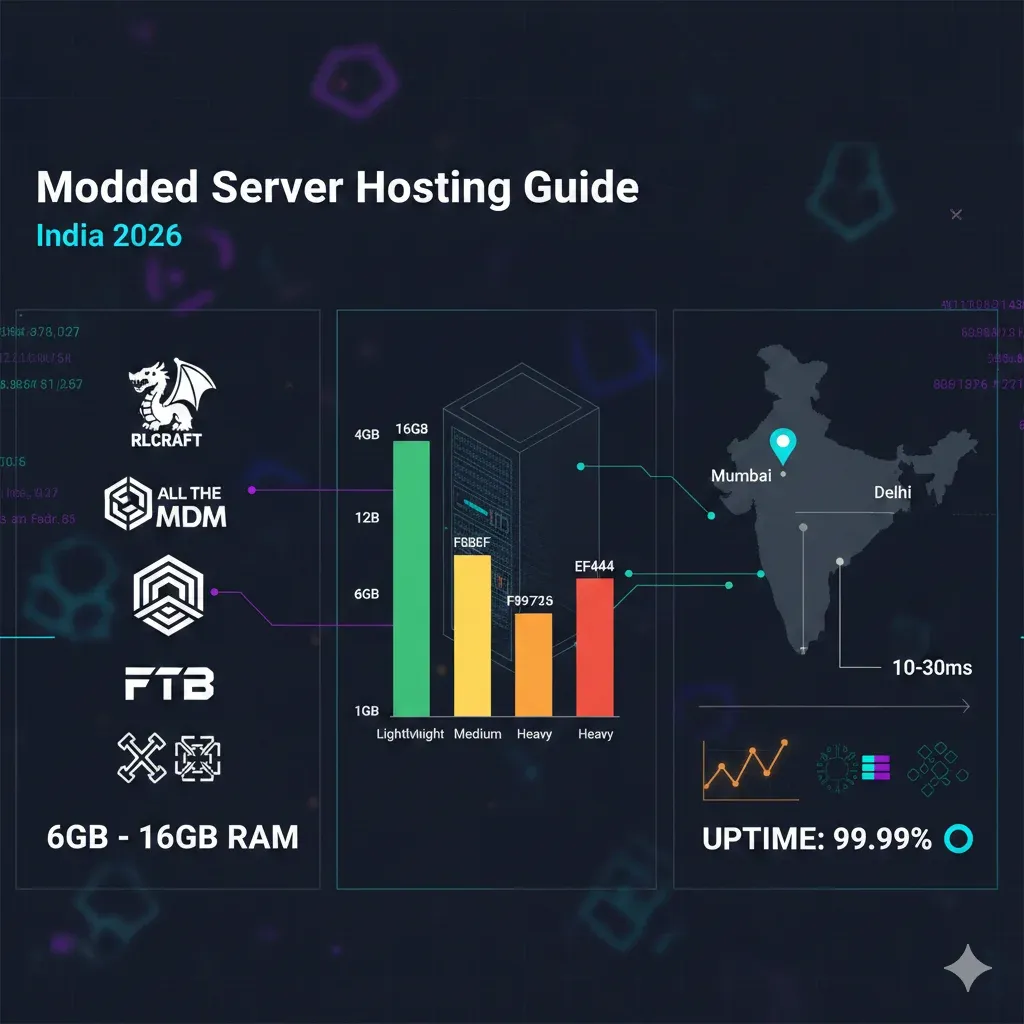
Vanilla Minecraft servers typically run smoothly on 1-2GB RAM with basic CPU requirements. Modded servers, however, introduce substantial additional resource demands:
Resource Multiplication:
- Vanilla server: 1-2GB RAM, standard CPU usage
- Lightweight modpack (100 mods): 4GB RAM, elevated CPU demand
- Medium modpack (200 mods): 8GB RAM, significant CPU load
- Heavy modpack (300+ mods): 16GB+ RAM, intensive CPU requirements
Why the increase?
- Each mod adds new game mechanics, items, blocks, and entities
- Mods often interact with each other, creating compound complexity
- Chunk generation becomes more resource-intensive with terrain modifications
- Additional world data requires more storage and memory
- Server tick processing increases exponentially with mod count
2. Forge vs Fabric vs Mohist: Choosing Your Mod Loader
Forge (Industry Standard)
Best for: Established modpacks, maximum mod availability
Advantages:
- Largest mod ecosystem (90% of major mods)
- Extensive documentation and community support
- Stable, well-tested for production servers
- Compatible with most popular modpacks
Disadvantages:
- Higher RAM overhead compared to Fabric
- Slower updates for new Minecraft versions
- Performance limitations with 300+ mods
Popular Forge Modpacks:
- All The Mods series
- FTB (Feed The Beast) packs
- SkyFactory
- RLCraft (modified Forge)
Recommended for: Indian servers running established modpacks with 10+ players
Fabric (Lightweight Alternative)
Best for: Performance-focused servers, newer Minecraft versions
Advantages:
- 30-40% lower RAM usage than equivalent Forge setup
- Faster Minecraft version updates
- Better performance optimization
- Cleaner codebase
Disadvantages:
- Smaller mod library (though growing rapidly)
- Many major mods still Forge-exclusive
- Less mature modpack ecosystem
Popular Fabric Modpacks:
- Fabulously Optimized
- All of Fabric series
- Better Minecraft (Fabric edition)
Recommended for: Indian servers prioritizing performance over mod variety
Mohist (Hybrid Solution)
Best for: Servers requiring both mods and plugins
Advantages:
- Forge mods + Bukkit/Spigot plugins on same server
- Enables mod content with server management plugins
- Useful for complex server networks
Disadvantages:
- Compatibility issues more common
- Higher resource overhead than pure Forge
- More complex troubleshooting
- Not suitable for all modpacks
Recommended for: Experienced administrators running custom hybrid servers
3. RAM Requirements: The Complete Breakdown
Base RAM Calculation Formula
Minimum Server RAM = Base (3GB) + (Mod Count × 10MB) + (Players × 100MB) + (Chunk Loading × 2GB)
Example: RLCraft with 15 players
- Base: 3GB
- Mods (169): 1.7GB
- Players (15): 1.5GB
- Chunk loading: 2GB
- Total: 8.2GB → Recommended: 8-10GB for stability
RAM Requirements by Modpack Complexity
Lightweight Modpacks (50-150 mods)
Examples: SkyFactory 4, Tekkit Legends, FTB Academy
RAM Requirements:
- Minimum: 4GB
- Recommended: 6GB
- Optimal: 8GB (for 20+ players)
Player Capacity:
- 4GB: 5-10 players (acceptable performance)
- 6GB: 10-20 players (smooth gameplay)
- 8GB: 20-30 players (excellent performance)
Ideal for:
- First-time modded server operators
- Small friend groups
- Limited budget (₹499-₹699/month)
Medium Modpacks (150-250 mods)
Examples: FTB Infinity Evolved, Enigmatica 2, StoneBlock 3
RAM Requirements:
- Minimum: 6GB
- Recommended: 8GB
- Optimal: 10GB (for smooth chunk generation)
Player Capacity:
- 6GB: 5-10 players (minimum viable)
- 8GB: 10-20 players (recommended setup)
- 10GB: 20-30 players (professional quality)
Ideal for:
- Established modded communities
- Semi-public servers
- Medium budget (₹699-₹1,299/month)
Heavy Modpacks (250+ mods)
Examples: All The Mods 9, Enigmatica 6 Expert, Gregtech: New Horizons
RAM Requirements:
- Minimum: 8GB
- Recommended: 12GB
- Optimal: 16GB+ (for lag-free experience)
Player Capacity:
- 8GB: 5-8 players (bare minimum)
- 12GB: 8-15 players (comfortable)
- 16GB: 15-25 players (premium experience)
Ideal for:
- Dedicated modded communities
- Public servers with active player base
- Premium budget (₹899-₹2,500/month)
4. Popular Modpacks: India-Specific Recommendations
RLCraft (Survival Difficulty Enhancement)
Overview:
- 169 mods focused on hardcore survival mechanics
- Extremely popular in Indian Minecraft community
- Challenging gameplay attracts dedicated players
Technical Specifications:
- Minecraft Version: 1.12.2
- Mod Loader: Forge
- Mod Count: 169
- World Generation: Heavily modified
Recommended Server Configuration:
- RAM: 6GB minimum, 8GB recommended
- CPU: Ryzen 5 or equivalent (high single-thread performance)
- Storage: 15GB NVMe SSD
- Players: 10-20 optimal
India-Specific Considerations:
- High mob count increases server load
- Frequent player deaths generate additional chunk loading
- Popular pack = higher player retention = worth investment
GBNODES Pricing: ₹699/month (6GB) - ₹899/month (8GB)
Performance Tips:
- Reduce view distance to 6-8 chunks
- Disable weather effects for performance
- Use Aikar's flags for JVM optimization
- Regular restarts (every 12-24 hours)
All The Mods 9 (Kitchen Sink Modpack)
Overview:
- 400+ mods covering all major mod categories
- One of the most comprehensive modpacks available
- Requires significant server resources
Technical Specifications:
- Minecraft Version: 1.20.1
- Mod Loader: Forge
- Mod Count: 400+
- World Generation: Extensive terrain modifications
Recommended Server Configuration:
- RAM: 12GB minimum, 16GB recommended
- CPU: Ryzen 7 or higher (multi-core advantage)
- Storage: 25GB NVMe SSD
- Players: 5-15 optimal
India-Specific Considerations:
- High RAM requirement limits casual hosting
- Dedicated player base justifies premium hosting
- Frequent updates require maintenance windows
GBNODES Pricing: ₹1,299/month (12GB) - ₹2,000/month (16GB)
Performance Tips:
- Allocate 80% of available RAM to server
- Use aggressive garbage collection
- Disable unused mod features
- Implement chunk pre-generation
- Consider dedicated server for 15+ players
FTB Infinity Evolved (Balanced Progression)
Overview:
- Classic modpack with balanced progression system
- Expert mode available for advanced players
- Stable, well-optimized, proven in production
Technical Specifications:
- Minecraft Version: 1.7.10
- Mod Loader: Forge
- Mod Count: 175
- World Generation: Moderate modifications
Recommended Server Configuration:
- RAM: 6GB minimum, 8GB recommended
- CPU: Ryzen 5 or equivalent
- Storage: 15GB NVMe SSD
- Players: 15-30 optimal
India-Specific Considerations:
- Older version (1.7.10) runs more efficiently
- Lower latency requirements (good for Indian internet)
- Established community in India
GBNODES Pricing: ₹699/month (6GB) - ₹899/month (8GB)
Performance Tips:
- Older Forge version is more stable
- Regular world backups essential
- Monitor specific lag-causing machines (quarries, chunk loaders)
SkyFactory 4 (Void World Challenge)
Overview:
- Skyblock-style modpack starting with single tree
- Reduced world generation load (void world)
- Excellent for lower-end servers
Technical Specifications:
- Minecraft Version: 1.12.2
- Mod Loader: Forge
- Mod Count: 200+
- World Generation: Minimal (void world)
Recommended Server Configuration:
- RAM: 4GB minimum, 6GB recommended
- CPU: Ryzen 5 or equivalent
- Storage: 10GB NVMe SSD
- Players: 15-25 optimal
India-Specific Considerations:
- Lower resource requirements = lower cost
- Void world eliminates terrain generation lag
- Popular among budget-conscious Indian players
GBNODES Pricing: ₹499/month (4GB) - ₹699/month (6GB)
Performance Tips:
- Void world reduces chunk loading overhead
- Monitor automated systems (can cause lag)
- Set reasonable automation limits per player
5. Hosting Modded Servers in India: Why Location Matters
Latency Impact on Modded Gameplay
Vanilla Minecraft:
- 100ms ping: Noticeable but playable
- 200ms ping: Frustrating for PvP, manageable for building
Modded Minecraft:
- 100ms ping: Significant delays in mod interactions
- 200ms ping: Nearly unplayable for complex mod mechanics
- Reason: Mods multiply client-server communication
Examples of Latency-Sensitive Mods:
- Applied Energistics 2 (crafting terminal lag)
- Refined Storage (inventory access delays)
- Immersive Engineering (multiblock interaction lag)
- Tinkers' Construct (crafting station delays)
India Datacenter Advantages
GBNODES Mumbai/Delhi Datacenters:
- Tier: Mumbai, Delhi
- Average Ping: 10-30ms (Indian players)
- Network: Premium peering with major Indian ISPs
- Bandwidth: Unlimited (no overage charges)
International Hosting Comparison:
- Singapore: 80-120ms
- US West: 180-250ms
- Europe: 200-300ms
For 15-player modded server:
- India datacenter (20ms): Smooth mod interactions
- Singapore (100ms): Noticeable delays in complex mods
- US/EU (200ms+): Frustrating experience, high dropout rate
6. GBNODES Modded Server Hosting: Features & Setup
One-Click Modpack Installation
Supported Modpacks (Pre-configured):
- All The Mods 9
- RLCraft
- FTB Infinity Evolved
- SkyFactory 4
- Better Minecraft
- Create: Above and Beyond
- StoneBlock 3
- Enigmatica 6
Installation Process:
- Select modpack from control panel
- Choose Minecraft version
- Allocate RAM (automatic recommendation)
- Click install (2-5 minutes deployment)
- Server ready with optimized configuration
Manual Modpack Installation Guide
For custom or unlisted modpacks:
Step 1: Prepare Modpack Files
- Download server files from modpack developer
- Verify Forge/Fabric version compatibility
- Extract to local directory for review
Step 2: Upload to GBNODES Server
- Access File Manager in control panel
- Upload modpack ZIP file
- Extract to server root directory
- Verify folder structure
Step 3: Configure Server Properties
- Set appropriate RAM allocation in startup parameters
- Configure world generation settings
Edit server.properties for India optimization:
max-tick-time=60000
view-distance=8
simulation-distance=8
network-compression-threshold=256
Step 4: Start Server & Test
- Initial startup (may take 5-10 minutes for mod loading)
- Monitor console for errors
- Test local connection
- Verify mod functionality
Performance Optimization (India-Specific)
JVM Startup Flags (Recommended):
java -Xms8G -Xmx8G -XX:+UseG1GC -XX:+ParallelRefProcEnabled
     -XX:MaxGCPauseMillis=200 -XX:+UnlockExperimentalVMOptions
     -XX:+DisableExplicitGC -XX:+AlwaysPreTouch
     -XX:G1NewSizePercent=30 -XX:G1MaxNewSizePercent=40
     -XX:G1HeapRegionSize=8M -XX:G1ReservePercent=20
     -XX:G1HeapWastePercent=5 -XX:G1MixedGCCountTarget=4
     -XX:InitiatingHeapOccupancyPercent=15
     -XX:G1MixedGCLiveThresholdPercent=90
     -XX:G1RSetUpdatingPauseTimePercent=5
     -XX:SurvivorRatio=32 -XX:+PerfDisableSharedMem
     -XX:MaxTenuringThreshold=1 -jar server.jar nogui
Explanation:
-Xms8G -Xmx8G: Set heap size (match your plan RAM)UseG1GC: Garbage collection optimized for server workloadsMaxGCPauseMillis=200: Limit lag spikes to 200ms- Additional flags: Fine-tune garbage collection behavior
Backup & Disaster Recovery
GBNODES Automated Backups:
- Frequency: Every 6 hours
- Retention: 7 days rolling
- Storage: Separate backup server
- Restoration: One-click restore from control panel
Manual Backup Best Practices:
- Weekly full world backups before major updates
- Pre-update configuration backups
- Player data separate backup (in case of world corruption)
- Download critical backups to local storage monthly
7. Cost Analysis: Modded Server Hosting in India
GBNODES Pricing Structure (Modded Servers)
| Plan | RAM | CPU Priority | Storage | Price/Month | Best For |
|---|---|---|---|---|---|
| Budget Modded | 4GB | Standard | 20GB NVMe | ₹499 | SkyFactory, small groups |
| Performance | 6GB | High | 25GB NVMe | ₹699 | RLCraft, FTB packs |
| Premium | 8GB | High | 30GB NVMe | ₹899 | Medium modpacks, 20+ players |
| Advanced | 12GB | Maximum | 40GB NVMe | ₹1,299 | ATM9, Enigmatica 6 |
| Professional | 16GB | Maximum | 50GB NVMe | ₹2,000 | Large public servers |
Included in all plans:
- GBSHIELD DDoS protection (449 Tbps)
- Unlimited bandwidth
- Automated backups
- 99.99% uptime SLA
- India datacenters (Mumbai/Delhi)
- 24/7 Discord/ticket support
- One-click modpack installer
Self-Hosting vs Professional Hosting (Modded Servers)
Self-Hosting a Modded Server:
Monthly Costs:
- Electricity (24/7, high-end PC): ₹800-₹1,200
- Internet upgrade (upload bandwidth): ₹500
- VPN/CGNAT solution: ₹500
- Hardware depreciation (₹80,000 PC / 3 years): ₹2,222
- Cooling/maintenance: ₹300
Total: ₹4,322/month
Hidden Costs:
- Initial hardware investment: ₹80,000
- No uptime guarantee (power cuts in India)
- No DDoS protection (Indian servers frequently targeted)
- CGNAT issues (most Indian ISPs)
- Time investment (setup, maintenance, troubleshooting)
Professional Hosting (8GB plan):
- Cost: ₹899/month
- Savings: ₹3,423/month (₹41,076/year)
- Zero upfront investment
- Enterprise infrastructure
- Professional support
- Guaranteed uptime
8. Common Issues & Solutions
Issue 1: "Server Lag with 20+ Players"
Symptoms:
- TPS (ticks per second) drops below 20
- Block placement delays
- Mob movement stuttering
Solutions:
- Upgrade RAM (add 2-4GB)
- Reduce view distance from 10 to 8 chunks
- Implement entity limits per chunk
- Use ServerOptimizer or similar optimization plugins
- Identify lag-causing machines with timing reports
Prevention:
- Set reasonable automation limits per player
- Implement chunk loading limits
- Regular restarts (every 12-24 hours)
Issue 2: "Out of Memory Errors"
Symptoms:
java.lang.OutOfMemoryError: Java heap space
Solutions:
- Increase allocated RAM in startup parameters
- Verify
-Xmsand-Xmxvalues match - Upgrade to higher RAM plan if consistently hitting limit
- Review installed mods for memory leaks
- Implement more aggressive garbage collection
Prevention:
- Allocate 80-90% of available RAM to server
- Monitor RAM usage with control panel metrics
- Avoid overpopulating world with entities
Issue 3: "Modpack Won't Start / Crashes on Load"
Symptoms:
- Server crashes during mod loading phase
- "Missing dependency" errors
- Version mismatch errors
Solutions:
- Verify Forge/Fabric version matches modpack requirements
- Check all mod dependencies are present
- Review crash logs for specific error mod
- Ensure Java version compatibility (Java 17 for 1.19+)
- Fresh installation if configuration corrupted
Prevention:
- Use GBNODES one-click installers (pre-verified)
- Don't manually update individual mods
- Keep backups before making changes
Issue 4: "High Ping Despite India Server"
Symptoms:
- Players reporting 100ms+ ping from India
- Rubber-banding movement
- Delayed block interactions
Solutions:
- Verify server is on Mumbai/Delhi node (check control panel)
- Test player's ISP routing with traceroute
- Adjust
network-compression-threshold(lower = less compression, better latency) - Ensure no background downloads/uploads on player side
- Check for DDoS attacks (GBNODES provides mitigation automatically)
Prevention:
- Choose India datacenter at server creation
- Educate players on optimal internet setup
- Monitor server network metrics
9. Frequently Asked Questions
How much RAM do I need for a modded Minecraft server?
Modded Minecraft servers require 4GB minimum for lightweight modpacks (50-150 mods), 8GB for medium modpacks (150-250 mods), and 12-16GB for heavy modpacks (250+ mods). For popular modpacks: RLCraft needs 6-8GB, All The Mods 9 requires 12-16GB, and FTB Infinity Evolved runs well on 8GB. Player count also affects requirements: add approximately 100MB RAM per concurrent player.
Can I run RLCraft on 4GB RAM?
While technically possible for 2-3 players, RLCraft performs poorly on 4GB RAM. The minimum recommended is 6GB for 5-10 players, and 8GB is optimal for 10-20 players. RLCraft's 169 mods, heavy world generation, and frequent chunk loading create significant memory demands. With only 4GB, expect frequent lag spikes, slow chunk generation, and potential crashes during peak activity.
What's the difference between Forge and Fabric for hosting?
Forge is the established mod loader with 90% of major mods, higher RAM usage, and slower updates. Fabric is newer, uses 30-40% less RAM, updates faster, but has a smaller mod library. For hosting in India: choose Forge for established modpacks (ATM9, RLCraft, FTB), choose Fabric for performance-focused servers or newer Minecraft versions. Both are fully supported on GBNODES hosting.
Is modded server hosting more expensive than vanilla?
Yes. Modded servers require significantly more resources: vanilla hosting starts at ₹150-₹299/month (1-2GB RAM), while modded hosting ranges from ₹499/month (4GB, lightweight modpacks) to ₹2,000+/month (16GB, heavy modpacks). However, self-hosting modded servers costs ₹4,000-₹5,000/month when accounting for electricity, hardware depreciation, and internet upgrades, making professional hosting substantially more cost-effective.
Can I switch modpacks without losing my world?
No. Each modpack generates worlds with specific mod configurations. Switching modpacks requires starting a new world. However, you can run multiple servers simultaneously on GBNODES by creating additional server instances. To preserve your current world while testing a new modpack, download a full backup before making changes, or purchase a second server instance for the new modpack.
Why is India datacenter important for modded servers?
Modded Minecraft multiplies client-server communication compared to vanilla. Actions like accessing storage systems (Applied Energistics 2, Refined Storage), using complex machinery (Immersive Engineering), or crafting (Tinkers' Construct) send numerous packets. At 20ms ping (India datacenter), these interactions feel instant. At 200ms (international hosting), every action has noticeable delay. For modded servers, India datacenters reduce effective lag by 80-90% for Indian players.
What happens if my modded server runs out of RAM?
The server will crash with an "OutOfMemoryError" and automatically restart (on GBNODES hosting). However, if crashes are frequent, this indicates insufficient RAM allocation. Solutions: upgrade to a higher RAM plan, reduce player count, optimize mod configurations, or implement stricter automation limits. GBNODES allows instant plan upgrades through the control panel without server migration or downtime.
Can I add mods to GBNODES pre-installed modpacks?
Yes, but with caution. Adding mods to established modpacks can cause conflicts, crashes, or world corruption. Best practice: download the modpack files, add desired mods locally, test thoroughly, then upload the modified pack to your server. Always create a full backup before adding mods. GBNODES support can assist with compatibility testing for add-on mods.
How do I optimize my modded server for Indian players?
Server-side optimization:
- Choose Mumbai or Delhi datacenter
- Set
view-distance=8in server.properties - Use optimized JVM flags (provided above)
- Implement entity and tile entity limits
- Schedule regular restarts (every 12-24 hours)
Player-side recommendations:
- Use Optifine or similar client optimization
- Close background applications
- Use wired internet connection
- Lower client render distance to match server
Is GBNODES DDoS protection necessary for modded servers?
Absolutely. Indian Minecraft servers are frequently targeted by DDoS attacks, especially popular modded servers. GBNODES GBSHIELD (449 Tbps Cloudflare Spectrum) provides enterprise-grade protection included in all plans at no extra cost. Without DDoS protection, attacks can make your server inaccessible for hours or days. Self-hosted servers have virtually no DDoS protection, making them extremely vulnerable.
10. Getting Started: Launch Your Modded Server Today
Step 1: Choose Your Modpack
Review the modpack recommendations in section 4 above. Consider:
- Your player base preferences
- Technical complexity tolerance
- Budget for hosting
- Expected player count
Step 2: Select Appropriate RAM Plan
Use the RAM calculator in section 3:
- Lightweight modpacks: 4-6GB (₹499-₹699/month)
- Medium modpacks: 6-8GB (₹699-₹899/month)
- Heavy modpacks: 12-16GB (₹1,299-₹2,000/month)
Step 3: Deploy on GBNODES
India's Premier Modded Minecraft Hosting:
- Mumbai and Delhi datacenters (10-30ms for Indian players)
- One-click modpack installation (2-minute deployment)
- Enterprise DDoS protection (GBSHIELD 449 Tbps Cloudflare Spectrum)
- 99.99% uptime guarantee (financially backed SLA)
- Automated backups (every 6 hours, 7-day retention)
- 24/7 technical support (Discord, tickets, live chat)
- Instant upgrades (scale RAM without migration)
Author: GBNODES Hosting Team
Technical Reviewer: Server Infrastructure Department
Last Updated: February 10, 2026
Testing Environment: 15+ popular modpacks tested on Mumbai datacenter infrastructure