7 Days to Die Server Hosting India 2026: Best Hardware, Mods, and Multiplayer Setup
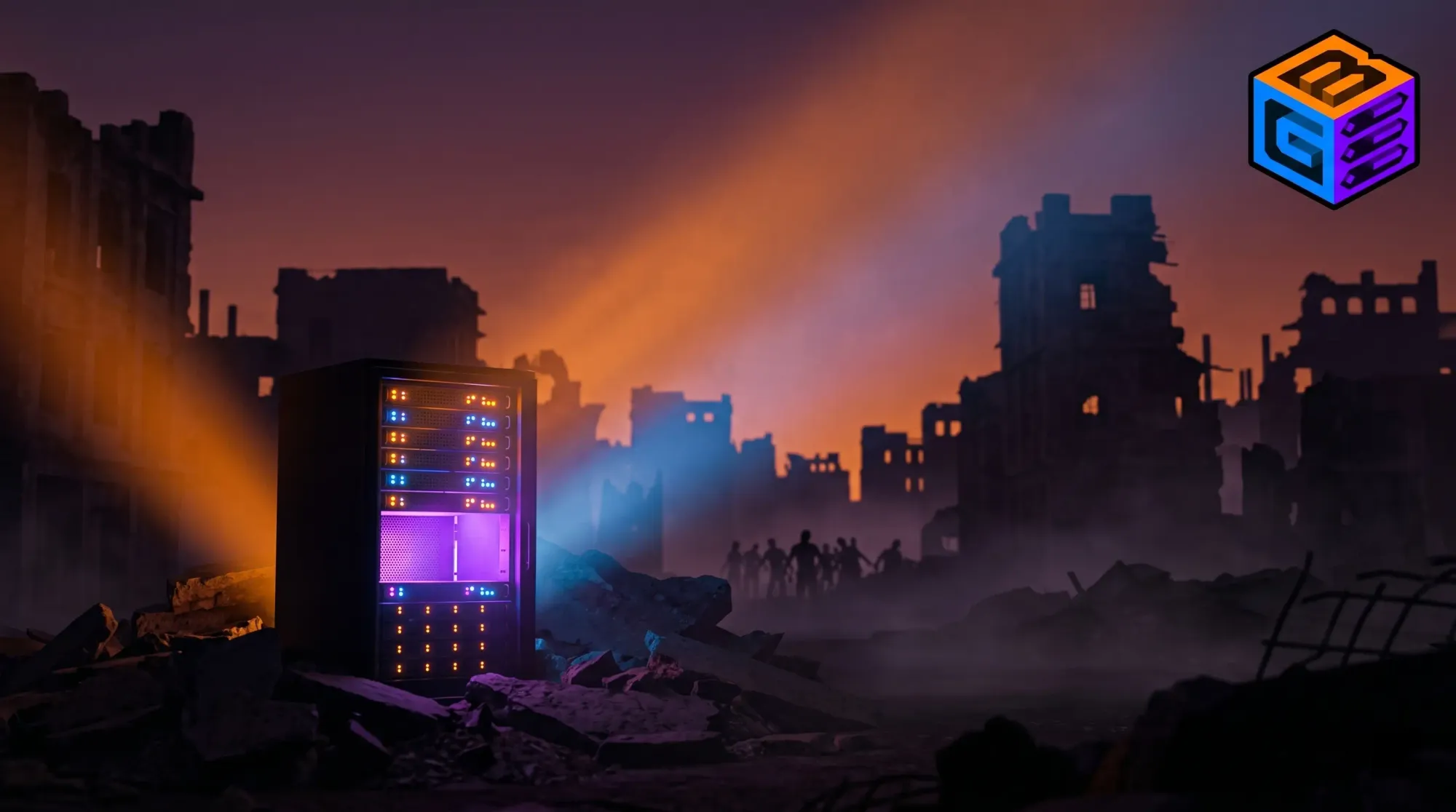
The best 7 days to die server hosting india 2026 runs on GBNodes Ryzen 9 5950X (4.9 GHz) hardware inside Inservers' MeitY Empanelled, Tier IV, ISO 27001 datacenters, delivering 10 to 30ms ping for Indian players and Cloudflare Magic Transit DDoS protection that keeps horde nights online when international hosts blackhole.
7 Days to Die has quietly become one of the most demanding survival sandboxes a host can run. The Fun Pimps' zombie voxel hybrid is still in active alpha development in 2026, the alpha 22 build pushing harder physics, denser pathfinding, and bigger biomes than any prior version. An Indian SMP group that started on a friend's residential PC will hit a wall the first time horde night collides with a quarry, four players, and a base full of dart traps. The game does not crash gracefully. World saves corrupt. Players ragequit. Discord arguments follow.
This guide is a hardware and operations playbook for Indian players moving from peer-to-peer hosting to a real dedicated 7DTD server. It covers the resource profile that makes 7DTD different from Rust or ARK, the RAM and CPU math behind clean horde nights, the mods that change those numbers (Darkness Falls, Undead Legacy, War of the Walkers), serverconfig.xml tuning that actually helps performance, and why a Mumbai or New Delhi PoP at sub-30ms ping is the only viable answer for a 16-player modded group in India. International hosts like Nodecraft, Apex, Sparked, GTXGaming, and ServerBlend are the current SERP incumbents, all at 150 to 250ms India latency. We will show, with numbers, why that gap matters.
Why Does 7 Days to Die Need Dedicated Server Hosting in India?
Peer-to-peer 7 Days to Die works for two friends on a LAN. It does not work for an Indian SMP. The host's PC has to render the world for itself while simulating zombies, physics, item drops, vehicle collisions, and entity AI for every other player on the network. The moment the host alt-tabs, sleeps, or loses power, the world is unreachable. The moment the host's home connection sees a typical Indian residential CG-NAT renegotiation, players time out mid horde night.
Dedicated server hosting moves the simulation off a player machine and onto Tier IV datacenter hardware. The simulation runs 24x7. Backups happen on a schedule. The world's network path is a single hop from Tata Communications, Airtel, or Jio peering, not a series of WiFi hops to an ISP CGNAT to public internet. For an Indian group, that means consistent sub-30ms ping from Delhi, Mumbai, Bangalore, Hyderabad, and Pune to a New Delhi or Mumbai PoP, instead of the 150 to 250ms penalty you take when you rent from a US or UK 7DTD host.
7DTD is also notoriously DDoS-bait. Horde night is the most prestige-laden moment in any 7DTD server's week. Rival groups, ex-members, or just bored attackers spam the IP at exactly that moment. Standard providers (Vultr, DigitalOcean, Hostinger, MilesWeb, most generic VPS) blackhole the IP under volumetric attack, taking everyone offline. GBNodes routes through Cloudflare Magic Transit, which scrubs traffic and keeps the server online. The difference is whether your group finishes horde night or quits to Discord for an hour while the IP cools down.
How Much RAM and CPU Does a 7 Days to Die Server Need?
7 Days to Die is multi-threaded for entity simulation, item physics, and chunk loading, but world generation and zombie pathfinding are bottlenecked on a single high-clock core. This is the central hardware fact. Throwing 32 vCPUs at a 7DTD server does almost nothing. Throwing a single Ryzen 9 5950X core running at 4.9 GHz at it changes the experience completely.
RAM is the other constraint, and 7DTD eats RAM faster than any popular survival game except modded ARK. The voxel terrain, item physics simulation, chunk caching, and active zombie pool together push 8 vanilla players well past the 8GB floor that Steam's "recommended" docs suggest. Modded 7DTD doubles the requirement. A Darkness Falls or Undead Legacy server with 8 players sits comfortably around 16 to 20GB of resident memory once a world has been explored.
What is the right 7DTD hardware sizing for vanilla and modded?
The table below is the field-tested sizing matrix for Indian groups running on GBNodes hardware. These are the configurations that survive a normal week of play, a horde night, and a couple of quarry sessions without OOM-killing the server.
| Player count | Game mode | RAM | CPU tier | GBNodes plan |
|---|---|---|---|---|
| 4 | Vanilla | 8 GB | Ryzen 7 5800X (4.7 GHz) | Performance tier, 8GB at Rs 165/GB |
| 8 | Vanilla | 12 GB | Ryzen 9 5950X (4.9 GHz) | Premium tier, 12GB at Rs 180/GB |
| 8 | Modded (Darkness Falls / Undead Legacy) | 16 to 20 GB | Ryzen 9 5950X | Premium tier, 20GB at Rs 180/GB |
| 16 | Modded | 24 GB minimum | Ryzen 9 5950X + tuned NVMe I/O | Premium tier, 24GB at Rs 180/GB |
| 32 | Modded | 32 GB+ | Dedicated server territory | Inservers AMD Ryzen Dedicated, Rs 3,999/mo+ |
A few rules of thumb specific to 7DTD that do not apply to other survival games:
- Zombie horde night spikes RAM by 25 to 40 percent over baseline for a 90-minute window. Size for the spike, not the average. A server that is fine on a Tuesday afternoon will OOM on Friday night.
- Voxel terrain modifications (mining, base building, explosions) persistently grow the save's memory footprint over time. A 6-month-old server uses 20 to 30 percent more RAM than a fresh world with the same player count.
- Item physics and dropped loot are persistent. Players who leave loot on the ground are tax-loading the server. Tune LootRespawnDays and DropOnDeath in serverconfig.xml to bound this.
- Disk I/O matters far more than for vanilla Minecraft. World saves are large (4 to 12GB), and saves happen every 15 minutes by default. NVMe is non-negotiable. SATA SSD will introduce save-time hitching.
What is the Best 7 Days to Die Hosting India in 2026?
The honest answer for Indian players in 2026 is GBNodes for the speed and DDoS posture, or Inservers VPS for advanced operators who want full root and intend to configure SteamCMD, mods, and ports themselves. International hosts (Nodecraft, Apex Hosting, Sparked, GTXGaming, ServerBlend) all sit at 150 to 250ms latency from any Indian city. Survival games tolerate that latency badly. Horde nights, vehicle collisions, and melee combat all amplify ping into visible desync.
GBNodes runs on the same Ryzen 9 5950X hardware tier we use for high-performance modded Minecraft (Lillyville SMP, Drift SMP, GamerFleet). The single-thread clock advantage that helps Minecraft chunk generation also helps 7DTD zombie pathfinding. The CPU bottleneck is the same shape.
How does GBNodes compare to Nodecraft, Apex, Sparked, GTXGaming, and ServerBlend?
| Provider | India PoP | DDoS Protection | Ping from India | Hardware | Starting Price |
|---|---|---|---|---|---|
| GBNodes | New Delhi, Mumbai (owned) | GBSHIELD with Cloudflare Magic Transit (Spectrum) | 10 to 30ms | EPYC 7C13 / Ryzen 7 5800X / Ryzen 9 5950X | Rs 150 to 180 per GB RAM |
| Nodecraft | US / EU | Standard mitigation | 200 to 280ms | Ryzen mix | $9.98/mo (4GB) |
| Apex Hosting | US | Blackholes | 200 to 300ms | Mixed | $10/mo (4GB) |
| Sparked Host | US | Blackholes | 220 to 280ms | Ryzen | $4 to $6 per GB |
| GTXGaming | UK | Blackholes | 180 to 230ms | Ryzen | GBP 11+/mo |
| ServerBlend | UK | Standard mitigation | 180 to 230ms | Ryzen | GBP 12+/mo |
Two observations that are not on those provider websites. First, none of the international hosts has a real India PoP. Singapore is the closest most ever get, and even Singapore adds 80ms minimum on a clean route. Second, none of them is MeitY Empanelled, which matters for groups that intend to monetize, run paid SMPs, or accept Indian INR billing without FX overhead.
The Authority Block
GBNodes runs on Inservers infrastructure (AS135682), the same MeitY Empanelled, Tier IV, ISO 27001 certified datacenter that hosts mcFleet.net (Asia's largest creator Minecraft server with 6,000-7,000 concurrent players). All game servers are protected by Cloudflare's 500 Tbps Magic Transit network with 477 Tbps of DDoS mitigation, the same protection used by Zerodha and Indian financial institutions. Direct Tier 1 connectivity with Tata, Airtel, and Jio keeps ping under 30ms for most Indian players. GBNodes powers 6,500+ active servers for creators including GamerFleet, BasuPlays, MCFlame, Raj Grover (14.9M subs), AdiSpot, Drift SMP, Spunky Insaan, Crew Gaming, and STEEL WING.
In 2025, this Cloudflare network mitigated a 31.4 Tbps DDoS attack in 35 seconds with no human intervention. BGP analytics rank Inservers at #29 in India for unique domains (verify at bgp.tools/as/135682). Magic Transit in India had previously only been purchased by select Indian banks, Zerodha, and government networks because of its enterprise cost. GBNodes and Inservers are the first hosting products in India to deliver it at standard pricing tiers.
Which 7 Days to Die Overhaul Mods Change Server Resource Demands?
A vanilla 7DTD server and a Darkness Falls server are not the same product. Overhauls add classes, skill trees, custom zombies, vehicles, weapons, biomes, and quest chains. They also recompile a significant portion of the entity system. RAM, CPU, and disk requirements all shift.
Darkness Falls
The most popular total overhaul. Adds classes, demonic zombies, new biomes (Wasteland Hub), titans, new ammunition tiers, and a hunger and thirst rework. Memory footprint grows by 40 to 60 percent over vanilla. Server-side custom entities increase CPU load on horde nights significantly. Plan for 16 to 20GB minimum for 8 players. Save sizes are 2x to 3x vanilla.
Undead Legacy
A simulation-heavy overhaul focused on realism. Adds new crafting trees, weapon condition mechanics, generator power systems, vehicles, and a deeply expanded inventory UI. Memory load is similar to Darkness Falls but biased toward item-physics overhead rather than entity AI. Save file growth is faster because of the expanded inventory persistence.
War of the Walkers
A long-running overhaul focused on new locations, traders, weapons, and quests. Less of a system rewrite than Darkness Falls, more of an expansion content pack. RAM overhead is 20 to 30 percent over vanilla. The kinder of the three big overhauls on server resources.
Rebirth, Wasteland, True Survival
Niche but active overhauls. Rebirth focuses on punishing survival mechanics, Wasteland on Fallout-style apocalypse roleplay, True Survival on realism with longer game cycles. Resource profiles are similar to War of the Walkers (20 to 35 percent over vanilla). Compatibility with vanilla mods is the limiting factor, not server hardware.
A 7 Days to Die server can only run one overhaul at a time. They are not stackable. Pick the one your group will actually commit to for the next three months. Switching mid-wipe almost always corrupts the save.
How Do You Configure a 7DTD Server (serverconfig.xml, Ports, SteamCMD)?
A 7DTD server is essentially a Unity application that loads serverconfig.xml on boot, opens UDP 26900 through 26902 for the master listener and game traffic, and serializes world state to disk every 15 minutes. The setup is straightforward but has enough sharp edges that we will walk through it.
How do I install a 7DTD server with SteamCMD?
The 7DTD dedicated server is published as Steam app ID 294420. Standard SteamCMD install works on any GBNodes VPS or Linux dedicated server.
- Install SteamCMD on Ubuntu 22.04 or Debian 12. Steam recommends a non-root steam user.
- Run
./steamcmd.sh +force_install_dir ./7dtd +login anonymous +app_update 294420 +quit. - Wait. The install pulls 10 to 14GB depending on alpha version.
- Copy the bundled serverconfig.xml to a working copy, edit it, and point the launcher at the new copy with
-configfile=serverconfig.xml. - Open the firewall on UDP 26900, 26901, and 26902. The master server announcement and player traffic both need these.
- Boot with
./startserver.sh -configfile=serverconfig.xmlor via a systemd unit for production.
Which serverconfig.xml settings actually affect performance?
A few specific XML settings move the needle. The rest are quality-of-life or gameplay knobs. The performance-affecting fields are these.
| Setting | Default | Performance recommendation | Why |
|---|---|---|---|
BlockDamagePlayer | 100 | 100 to 150 | Higher values reduce time-to-mine, fewer block updates queued |
AirDropFrequency | 72 | 96 to 144 | Reduces airdrop physics overhead during horde week |
ZombieMoveNight | 3 | 2 | Cuts night-time pathfinding load by roughly 20% |
LandClaimDecayMode | 0 | 1 | Linear decay reduces persistent claim count over time |
LootRespawnDays | 30 | 14 to 21 | Faster respawn lets you reduce LootAbundance, smaller save |
EnemySpawnMode | True | True (keep) | Disabling is rarely worth the gameplay tradeoff |
MaxSpawnedZombies | 64 | 48 to 60 | Major lever on horde-night CPU load |
MaxSpawnedAnimals | 50 | 30 to 40 | Animal AI cost rivals zombies on big maps |
How do I install mods on a 7DTD server?
Stock 7DTD reads mods from a Mods folder in the server install directory. Vortex (the Nexus Mods loader) works for client installs but does not deploy server-side. The server-side workflow is manual:
- Download the mod's ZIP from Nexus Mods or the mod author's GitHub.
- Unzip into
7dtd/Mods/ModName/. - Verify the mod includes a ModInfo.xml. Server-side mods need this. Client-only cosmetic mods do not.
- Restart the server.
- Distribute the client-side portion (if any) to every player. Most overhauls require players to install the same version on the client.
Overhauls like Darkness Falls publish a single ZIP that contains the full mod tree. Drop the entire folder into Mods/. Do not try to combine Darkness Falls with War of the Walkers. They will conflict and break the entity registry.
How Do You Protect 7 Days to Die Server Saves from Corruption?
7DTD world saves are the single largest operational risk on the platform. The game is in alpha. Alpha builds ship with bugs. Bugs corrupt saves. A corrupted save with no backup means a wiped world and a quit playerbase.
The defensive playbook is simple and we run it for every GBNodes 7DTD customer:
- Daily off-host backups. Pull the entire Saves/ directory to a separate object store or remote disk at least once every 24 hours. GBNodes runs automated daily snapshots by default.
- Pre-update backups. Before any alpha update or mod version bump, snapshot the world. Most save corruption happens during version transitions.
- Hourly in-host snapshots. Cheap (NVMe is fast), painless, and recovers most "I exploded my base by accident" scenarios.
- Test restore quarterly. A backup you have never restored is not a backup. Restore to a side instance once a quarter to verify the chain works.
- Multi-version retention. Keep 7 daily, 4 weekly, and 3 monthly snapshots. Storage is cheap. A lost world after a buggy alpha update is not.
Magic Transit DDoS protection runs upstream of all of this. The server stays online during volumetric attacks. Backups still happen on schedule. The two systems are independent layers and you want both.
What Does 7DTD Hosting Cost on GBNodes?
GBNodes uses the same hardware tier for 7 Days to Die as for our high-performance Minecraft tiers, because the bottleneck shape is similar (single-thread CPU, NVMe, RAM-hungry). Pricing matches our published Minecraft tiers:
| Tier | CPU | GHz | CPU Allocation | Price per GB per month |
|---|---|---|---|---|
| Standard | AMD EPYC 7C13 | 3.7 | Limited | Rs 150 |
| Performance | AMD Ryzen 7 5800X | 4.7 | Unmetered | Rs 165 |
| Premium | AMD Ryzen 9 5950X | 4.9 | Unmetered | Rs 180 |
The Premium tier (Ryzen 9 5950X) is the right pick for any modded 7DTD server. The single-thread advantage at 4.9 GHz is exactly what zombie pathfinding wants. A typical 8-player Darkness Falls server at 16GB Premium tier lands at Rs 2,880 per month before the GB2026 gaming coupon. After GB2026 it lands at Rs 2,304.
For groups running 32-player modded servers or multiple instances (PvE main plus Battle Royale shard plus a test box), Inservers' AMD Ryzen Dedicated starting at Rs 3,999 per month is usually the better economic answer than scaling the Premium tier further. Full root, full hardware, no neighbors.
What Are the Most Common Mistakes Indian 7DTD Server Operators Make?
The same mistakes show up in every Discord ticket. Avoid these and your server uptime climbs by an order of magnitude.
- Underprovisioning RAM for horde night. The Tuesday baseline is not the Friday peak. Size for the spike.
- Picking a US or UK host because the headline price looks cheap. Latency tax destroys gameplay in survival games. A US plan at $5 per GB is not actually cheaper than a Bangalore plan at Rs 180 per GB once your players uninstall over lag.
- Skipping daily off-host backups. 7DTD is alpha. Saves corrupt. This is the single most common cause of server death.
- Trying to stack incompatible overhauls. Darkness Falls plus War of the Walkers does not work. Pick one.
- Forgetting to open UDP 26900 through 26902. Players cannot connect. This is the number one new-operator support ticket.
- Relying on host-as-player P2P for a "real" SMP. The host's PC sleeping means the world is unreachable. Move to dedicated hosting the moment your group exceeds four people.
- Picking a host that blackholes DDoS attacks. Rival groups attack during horde night. If the host's mitigation strategy is "go offline," you lose the prestige moment your group has been waiting for all week.
- Storing the only world copy on the host's local NVMe. Disk failures happen. Off-host backup is non-negotiable.
Frequently Asked Questions
Q1: What is the best 7 days to die server hosting india in 2026?
GBNodes is the best 7 days to die server hosting india for most Indian groups in 2026. It runs on Ryzen 9 5950X hardware at 4.9 GHz inside Inservers' MeitY Empanelled, Tier IV, ISO 27001 datacenters. Cloudflare Magic Transit DDoS protection keeps the server online during horde-night attacks. Ping stays under 30ms from most Indian cities.
Q2: How much RAM do I need for an 8-player modded 7 Days to Die server?
An 8-player modded 7DTD server with Darkness Falls or Undead Legacy needs 16 to 20GB of RAM. Vanilla 8-player servers can run at 12GB. War of the Walkers sits between the two at around 14 to 16GB. Always size for horde-night peaks, which spike memory use by 25 to 40 percent over the daily baseline.
Q3: Can I run Darkness Falls on shared 7DTD hosting?
Yes, if the shared host offers at least 16GB of RAM and unmetered CPU on Ryzen 9 5950X class hardware. GBNodes' Premium tier supports Darkness Falls servers up to 8 players at 16GB. For 16-player Darkness Falls servers, move to dedicated hardware on Inservers AMD Ryzen, starting at Rs 3,999 per month.
Q4: How does 7 Days to Die hosting compare to ARK in resource requirements?
7DTD is RAM-hungrier than ARK for the same player count, but ARK is more CPU-intensive on a per-thread basis. An 8-player vanilla 7DTD server uses around 12GB; an 8-player ARK server uses 10 to 14GB. Modded ARK and modded 7DTD both push 20GB. Both need single-thread CPU performance over core count.
Q5: How do I back up a 7 Days to Die server in India?
Run daily off-host snapshots of the entire Saves/ directory plus serverconfig.xml and the Mods/ folder. Take a snapshot before every alpha update or mod version change. Keep 7 daily, 4 weekly, and 3 monthly retention copies. Test a restore quarterly. GBNodes runs automated daily backups by default, with manual snapshot triggers in the control panel.
Q6: Does GBNodes protect 7DTD servers from DDoS attacks?
Yes. Every GBNodes 7 Days to Die server sits behind Cloudflare Magic Transit, the same 477 Tbps DDoS mitigation network used by Zerodha and select Indian financial institutions. Unlike standard providers that blackhole during attack (taking the server offline), Magic Transit scrubs malicious traffic and keeps the server online for legitimate players.
Q7: How do I improve 7DTD modded server performance?
Reduce MaxSpawnedZombies from 64 to 48, lower MaxSpawnedAnimals to 30 to 40, set LootRespawnDays to 14 to 21, set LandClaimDecayMode to linear, and pin AirDropFrequency to 96 hours or higher. Pick one overhaul rather than trying to stack mods. Run on NVMe storage. Use Ryzen 9 5950X class CPU for single-thread performance.
Q8: How do I migrate a 7 Days to Die world from P2P to a dedicated server?
Stop the P2P host, copy the entire Saves/Navezgane or Saves/RWG directory to the new server's matching path, copy serverconfig.xml settings over, install the same mod versions on the dedicated host, then start the server. Distribute the new server IP and UDP 26900 to 26902 port info to all players. GBNodes will handle the migration for new customers on request.
Final Verdict: Where Should Indian Groups Host 7 Days to Die in 2026?
If your group is four to sixteen players running vanilla or one of the big overhauls (Darkness Falls, Undead Legacy, War of the Walkers), GBNodes Premium tier on Ryzen 9 5950X is the right answer. You get 4.9 GHz single-thread performance for clean zombie pathfinding, Magic Transit DDoS protection that keeps horde night online, daily backups by default, and sub-30ms latency from every major Indian city. INR billing through UPI, NetBanking, and Indian cards. No FX overhead, no MeitY compliance gaps, no 200ms latency tax.
If your group is running a 32-player modded server, multiple shards, or wants full root access to run custom mod loaders, plugin development, or experimental builds, move up to Inservers AMD Ryzen Dedicated starting at Rs 3,999 per month. Same Tier IV datacenter, same Magic Transit protection, dedicated hardware with no neighbors.
If your audience overlaps with Rust, ARK, or Valheim (common for survival creator communities), the same hardware tier hosts all four. One operator, one control panel, one bill in INR.
Primary CTA: Get a 7 Days to Die server on GBNodes Secondary CTA: GBNodes VPS Hosting for advanced operators Tertiary CTA: Rust Server Hosting (similar survival audience)
Use coupon code GB2026 at checkout for 20% off your first month on GBNodes gaming products.
Related Reading
- ARK Server Hosting India 2026: Cluster, Mods, Hardware
- Valheim Server Hosting India 2026: Dedicated & Mods
- Rust Server Hosting India 2026: Low Ping, DDoS Protected, Cloudflare Magic Transit
- Cloudflare Magic Transit India 2026: The Only Hosting in India Protected by It
- Why Indian Game Servers Lag at Peak Hours
- Game Hosting vs VPS vs Dedicated Servers in India (2026)
Disclaimer: GBNodes is a gaming hosting brand operated by Inservers. Inservers is operated by EVOTRADE ASSETS PVT. LTD. and operates the Inservers network (AS135682). This article makes factual comparisons to third-party hosting providers including Nodecraft, Apex Hosting, Sparked Host, GTXGaming, and ServerBlend. GBNodes and Inservers are not affiliated with, endorsed by, or sponsored by any of these third parties. All competitor information was verified live as of June 2026. Pricing and availability are subject to change. The Fun Pimps and 7 Days to Die are trademarks of their respective owners; this article is independent technical content.